
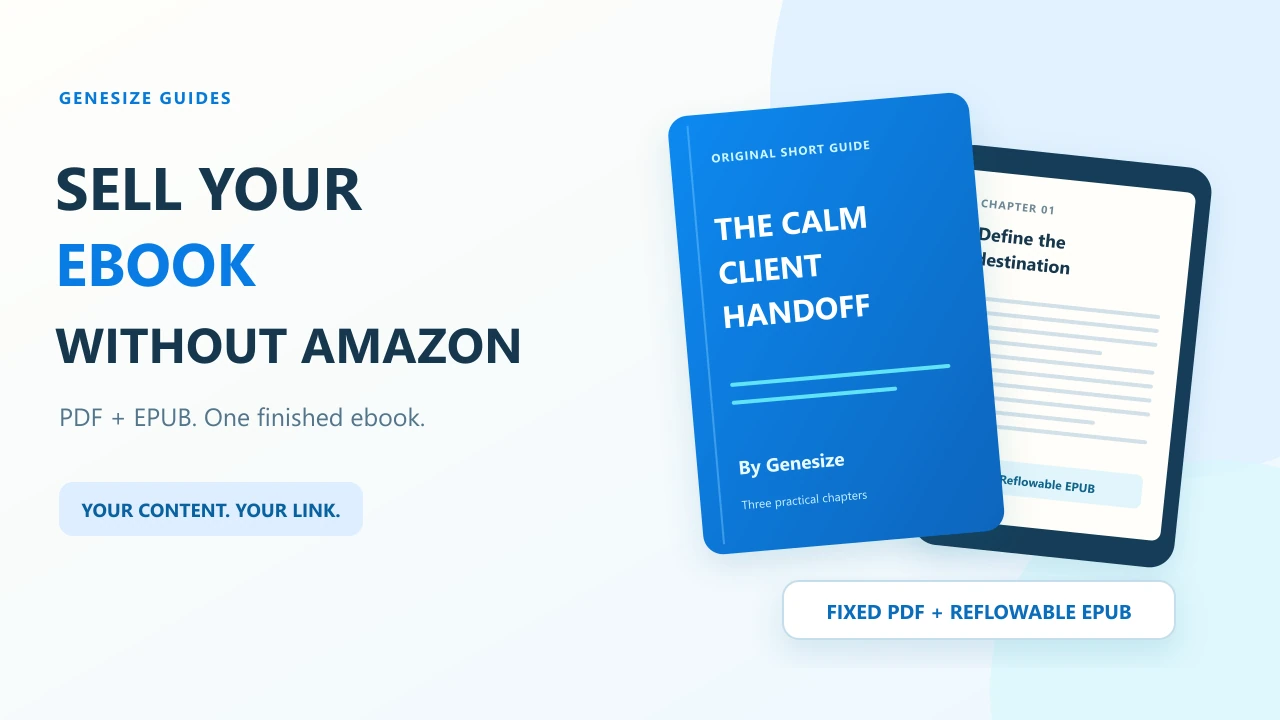
The $15 example: The Calm Client Handoff
A freelancer has finished a short guide to handing over a client project. The content is ready; the remaining job is to explain the result, take payment and deliver a readable copy.
One offer, two reading formats
- Reader
- A freelancer preparing to hand over a small client project.
- Outcome
- Organize the handoff, explain what was delivered and agree the next practical steps.
- Contents
- Three short chapters and a final checklist, supplied as a six-page PDF and a matching reflowable EPUB.
- Worked price
- $15 USD, paid once. Any applicable tax is shown at checkout.
- Excluded
- No printed book, individual consulting, editable source manuscript or Kindle Store purchase.
Our complete miniature ebook is a free educational sample. The $15 price illustrates an offer, not a real sale or a recommended price for every ebook. Its permission is for personal and internal use; do not resell the sample.
Inspect the sample PDF Try the EPUB edition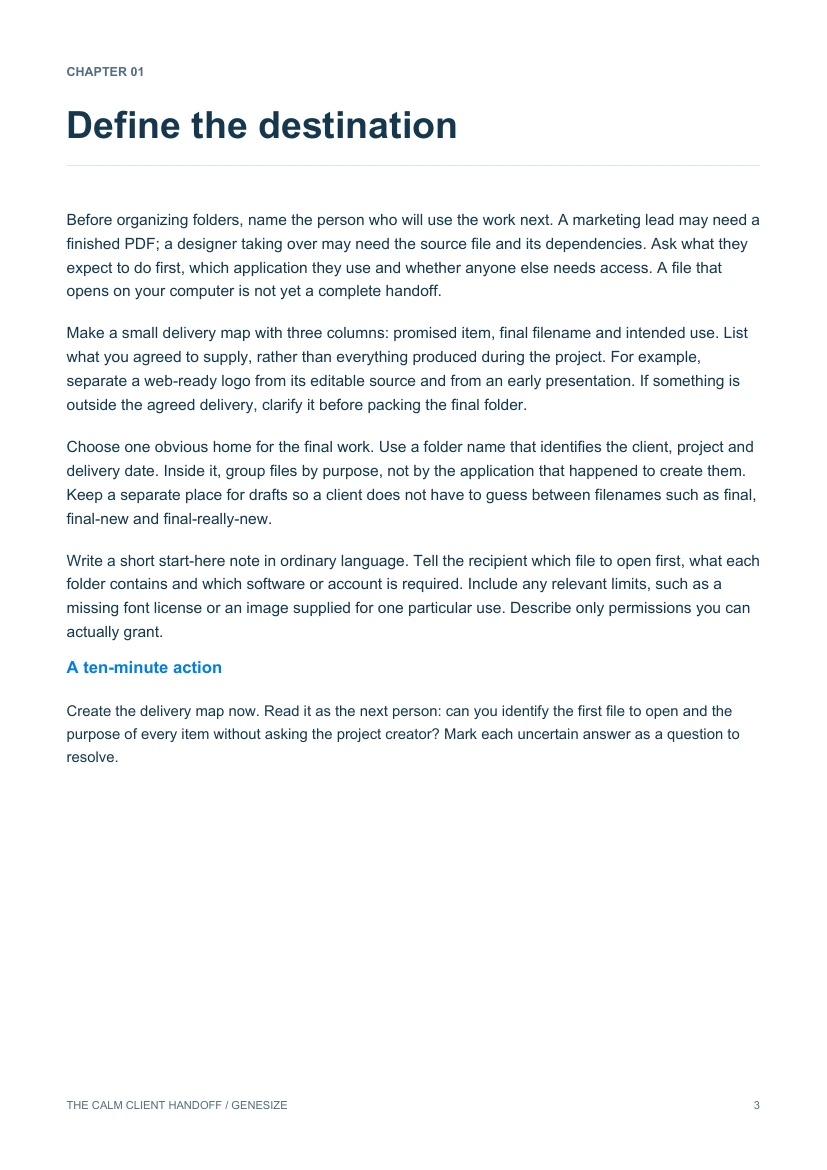
Check KDP Select before listing the digital edition elsewhere
Check the actual book in your KDP account, rather than relying on whether it appears in the Amazon store. Amazon says KDP Select requires digital exclusivity during enrollment, including against distribution on your own website. Its enrollment guide describes a 90-day term. A PDF is still a digital edition; do not treat a format change as a workaround. KDP Select exclusivity · Enrollment dates and management.
Confirm the current term and renewal status before launching a direct offer. Also check publisher agreements and permissions for the manuscript, cover, images and other included material. If the rights are unclear, resolve them before accepting orders. Our digital-product licensing guide explains how to organize permissions and buyer usage terms.
Choose what you need: a direct checkout or retail distribution
| Route | What it does | What to plan |
|---|---|---|
| Direct product page | A reader follows your link, pays and receives your files. | You bring relevant visitors, explain the offer and support the reader. |
| Retailer or distributor | You submit the book for sale through participating stores. | Review each service’s agreements, submission requirements and reader experience. |
This walkthrough covers direct selling with Genesize. Publishing here does not submit a book to Amazon, Apple Books or other retailers. A direct product page also does not supply Amazon’s audience or guarantee discovery.
You can link to a hosted product page without building a separate website. If you have a site, place a clear buy button beside your sample and send readers to that same public offer. See the WordPress button walkthrough or the no-website selling guide.
Prepare the files readers will actually receive
Use the finished exports, not the editable manuscript by accident. Give each a recognizable name, such as calm-client-handoff-sample.pdf and calm-client-handoff-sample.epub. Match the title, author, chapter order and edition across the two formats.
- PDF: inspect the designed pages, table of contents, links and any worksheets. Read a dense page on a phone. If you promise printing, test a page on the intended paper.
- EPUB: open it in the reading app you plan to recommend. Increase the font size and jump to a middle chapter through the contents. Check lists, images and captions. A reflowable EPUB will not keep fixed PDF page numbers. W3C’s description of reflowable EPUB.
- Reader notes: explain which file to choose, how to open it and what use is permitted. Remove editing comments, private client details and material you cannot distribute.
For an existing PDF and EPUB, attach both as original downloads to one product. They remain the uploaded files. Genesize does not automatically turn an uploaded PDF into a reflowable EPUB. If you want to work from an editable Genesize ebook instead, use the PDF and EPUB export guide.
Give reader instructions before a support problem
“Download the EPUB for a compatible reading app, or choose the PDF for its designed pages. On a phone, save the file and open it in the appropriate app. This purchase does not automatically add a book to your Kindle library.”
Apple documents importing books and PDFs into Books on Mac. For Kindle, readers can use Amazon’s separate Send to Kindle process, which accepts EPUB and PDF documents. Check the target device and test before claiming compatibility. Apple Books import instructions · Amazon’s Send to Kindle instructions.
Set up a $15 ebook offer in Genesize
- Choose Add product → Choose file and upload your finished PDF. Wait for the private draft to save.
- In Product details, name the ebook, explain who it helps and enter the starting price. In Your content, attach the matching EPUB using Choose a file.
- Under Review & sell, confirm your permission to sell the material and choose Continue launch. Prepare the sales page. The optional AI sales-copy draft is not required to sell finished files.
- List both formats, the contents and the exclusions. Check the final price and currency. Complete your store details, seller terms and Stripe setup for a paid offer.
- Open Review & publish → Test buyer experience and do the checks below. Publish only after reviewing the offer and delivery, then share Copy sales page link.
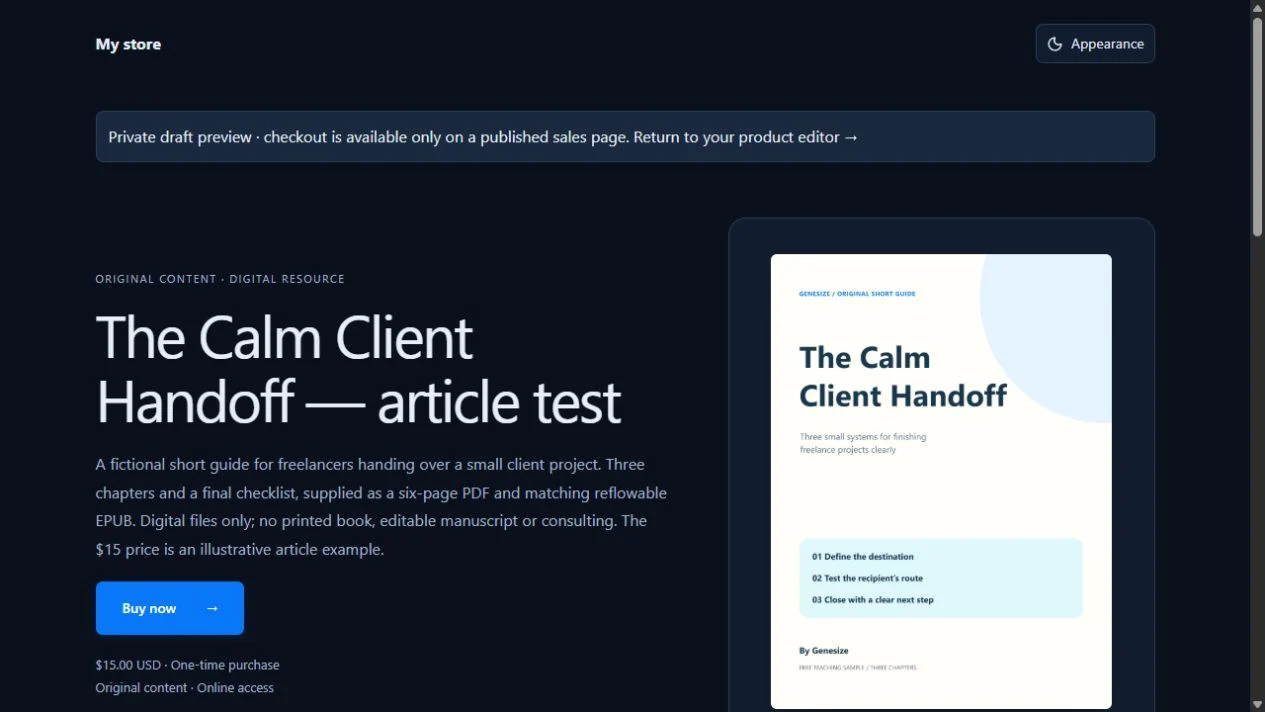
A useful offer description is specific: “A short handoff guide for freelancers finishing a small client project. Three chapters, supplied as PDF and EPUB. Digital files only; no printed book or personal consulting.” Show an actual page or excerpt so readers can judge the writing and scope. The sales-page examples help organize the rest of the page.
| Sales source | Genesize rate | Genesize fee | Remaining before other costs |
|---|---|---|---|
| Direct product link | 10% | $1.50 | $13.50 |
| Genesize Marketplace | 30% | $4.50 | $10.50 |
Free to Sell is $0 per month. The table applies commission before tax and excludes Stripe processing, refunds and other costs; the remainder is not profit or a payout estimate. Paid plans have different commissions and subscription prices. Compare current plans. Free to Sell does not include AI creation, CRM or email marketing; purchase access emails are part of product delivery.
Test both downloads as a reader
- Run Test buyer experience from the saved draft. Check the $15 offer and choose Complete simulated checkout. This does not create a real paid order or verify a live card charge.
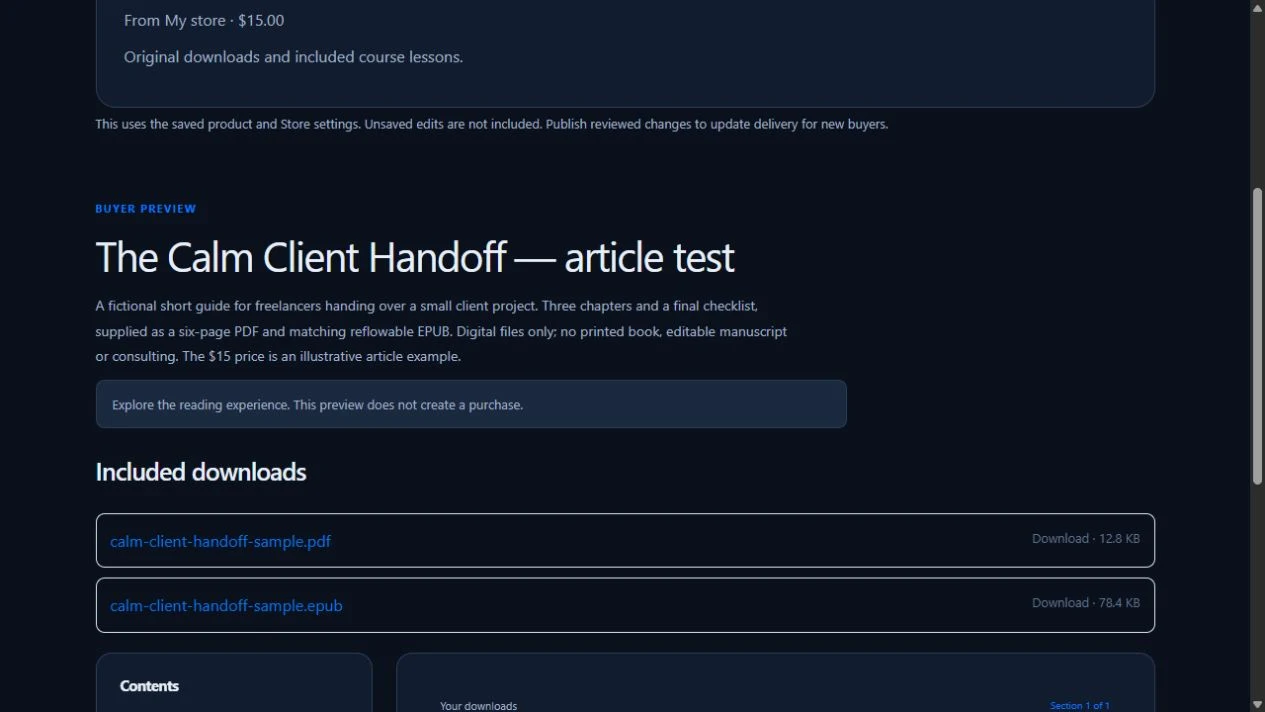
- Open the private Open test delivery link while signed out. Choose Open test purchase, then download the PDF and EPUB from Included downloads.
- Open both saved files. Check that the title, chapters and edition match the offer. In your target EPUB app, test the contents and a larger font; inspect the PDF’s page breaks and links.
- If you choose Send test receipt, check its arrival and private link separately. A prepared download does not establish inbox delivery. Save only the buyer-check confirmations you actually completed.
- After publication, verify the public sales link. Share that link with readers, not the temporary private buyer-test link.
Our verification: We attached this sample’s PDF and EPUB to an unpublished Genesize draft, reviewed its $15 simulated offer, signed out and opened the private test delivery. Both downloaded files matched the originals byte for byte. We rendered and inspected all six PDF pages, checked its contents links, and verified the EPUB’s chapter text, reading order and internal navigation references. No real payment or receipt email was sent. We did not test this sample in Kindle or Apple Books, so those apps remain separate checks before you claim compatibility.
When replacing a published edition, review both formats before publishing the new files. Earlier orders retain their purchased edition, so check the old order before promising a past buyer an update. Use the published-download update guide and publishing checklist for the exact controls.
Help the first reader decide whether the ebook fits
Start with one problem the finished book addresses. For this example, share a short handoff lesson and a sample page, then make the full offer available to people who need the remaining steps.
Example message to adapt
Finishing a client project but unsure what to hand over? The Calm Client Handoff walks through organizing the files, explaining the delivery and setting the next steps. The short guide includes PDF and EPUB editions for $15 USD, paid once. Read a sample and see the contents here: [your public sales link].
Use your own verified title, scope and price. Put the link beside a relevant article or in a permitted promotional placement. Email it only to an audience you are entitled to contact; a purchase does not automatically establish marketing consent. For a practical first-day sharing plan, use the no-audience guide.
Separate visits, checkout starts and confirmed paid orders when reviewing results. If people visit but do not buy, first ask whether the excerpt, reader, contents and format are clear. The digital-product sales diagnostic helps choose a useful change without assuming a new checkout will create demand.
Common ebook delivery problems and what to check
| Reader’s problem | Check first | Next step |
|---|---|---|
| “I only received a PDF.” | The actual attachments in the purchased edition. | Confirm the EPUB was included when that order was placed; investigate before promising an update. |
| “The EPUB looks different from the PDF.” | Font size, screen width and reflowable layout. | Explain the two formats and check for actual missing text, broken images or chapter-order errors. |
| “It is not in my Kindle library.” | Whether the downloaded file was imported through Amazon’s supported process. | Provide the Send to Kindle instructions; a direct purchase is not a Kindle Store order. |
| “My download email is missing.” | Checkout address, payment status, access and sending status. | Check Orders; help the reader recover access through My purchases without paying again. |
| “This is the old edition.” | The order date and published files it included. | Explain the purchased edition and your actual update policy; do not overwrite files blindly. |
| “I expected a printed book.” | The first description, product images and checkout copy. | State PDF/EPUB digital download and that nothing is shipped. |
Common questions about selling ebooks directly
Can I sell an ebook without Amazon?
Yes. If you have the necessary rights, sell the finished PDF, EPUB or both through a public product page with checkout and digital delivery. You need a way to bring readers to that page. Check any publishing agreement and active KDP Select enrollment before distributing the digital edition elsewhere.
Do I need my own website to sell an ebook directly?
No. Genesize can host the product page and checkout for your finished files. Share its public sales link from your own website, profile or permitted promotional placement. Hosting a page does not guarantee readers or sales.
Can I sell the same ebook on Amazon and my own store?
Check the book’s actual distribution terms. An active KDP Select enrollment restricts distribution of the digital book during its enrollment period, including your own website. Confirm the enrollment dates and any other publishing agreement before offering it directly. Do not assume changing EPUB to PDF removes that restriction.
Should I deliver an EPUB or a PDF?
Use a PDF when the designed pages, print layout or page references matter. A reflowable EPUB lets compatible reading apps adjust the text to the screen and reader’s font settings. Offering both can be useful if you have checked both files and clearly list them before purchase.
Will a direct purchase appear automatically in a reader’s Kindle library?
No. This workflow gives the reader downloadable files. Amazon’s Send to Kindle service supports PDF and EPUB documents, but importing a document is a separate reader action. Check Amazon’s instructions for the reader’s device and account; this is not a Kindle Store purchase.
Can I sell an ebook with no monthly subscription?
Genesize Free to Sell is $0 per month. Its fee is 10% for direct sales or 30% for Genesize Marketplace sales before tax. Stripe processing and other costs are separate. AI creation, CRM and email marketing are not included in Free to Sell.
Do I need to import or rewrite my finished manuscript?
No. Add the finished PDF and EPUB as original downloads attached to one product. This preserves those uploaded files. Import a manuscript as an editable project only when you want to edit or generate exports inside Genesize; that is a separate workflow.
What if a reader loses the download email?
They can request their purchases link through My purchases with the checkout email. Sellers should check the order’s payment, access and email status under Orders before asking a reader to buy again. Keep private purchase links out of public comments and posts.
Your ebook is finished. Give it a clear way to sell.
Upload your files, review the offer and reader experience, then share one public product link.
Explore Free to Sell