

1. Check the PDF the way a buyer will use it
If the PDF gives buyers access to an editable Canva design, see the Canva template delivery guide for the copy link and buyer checks.
Open the exported PDF on a phone and a computer. Click every link, check page order, and look for cut-off text or images. Then test the version you plan to describe on the product page.
| What you sell | What to test | What to tell buyers |
|---|---|---|
| Printable planner or worksheet | Print a page at the intended paper size. Check margins, writing space and whether the instructions work in grayscale. | List the sizes you include, such as US Letter or A4, and any print scaling instructions. |
| Fillable workbook | Type in fields, save a copy, and reopen it. Check whether long answers fit and values stay in the right fields. | Name the reader or app you tested and say which sections buyers can fill in. |
| Ebook or reference guide | Read a dense page on a phone. Check links, text size, diagrams and page navigation. | Give the page count and explain what readers can do with the guide. |
Printing at actual size can crop pages that exceed the paper’s printable area. Test the print settings you plan to recommend. If fillable fields repeat the same answer, check whether you accidentally gave copied fields the same name. Adobe’s printing guide · Adobe’s PDF forms guide
2. Show one useful page before checkout
Make a separate sample with one page buyers can judge, such as an exercise, checklist or completed example. Export just the sample pages into a new file. Open the sample to check that it contains only the pages you intend to give away and that any example names or details are yours to share.
Sample listing for a printable and fillable PDF
Wedding Photography Shot Planner · $12 USD
Plan must-have photos before a wedding shoot. Includes an eight-page US Letter PDF to print and an eight-page fillable PDF to open in Adobe Acrobat Reader. See a sample of the family photo checklist before you buy.
shot-planner-print-letter.pdfshot-planner-fillable.pdf
Use clear filenames for the files buyers receive. Review any fonts, photos or templates you included and confirm you have permission to distribute them in the finished product.
3. Upload the PDF and publish a product link
- In Genesize, choose Add product → I already have a product → Files & digital downloads. Attach the finished PDF files. The limit is 50 MB per file and up to 10 files per product, subject to storage limits.
- Open Sell → Storefront and connect your Stripe account. Confirm that payments and payouts are ready. On a paid plan, accept the sales commission terms in Storefront settings.
- In Publish & sell, set the price and currency. Write what the buyer gets, show the sample, and preview the saved buyer experience. Publish and copy the product link.
Share your published product page in a message or use it to sell the PDF from your Instagram bio. For a comparison with standalone payment links and marketplace listings, read the guide to selling without a website.
Can you sell a PDF with no monthly fee?
Genesize Free to Sell costs $0 per month. The commission is 10% on direct sales and 30% on Genesize Marketplace sales, calculated before tax. Stripe processing fees are separate.
On the example $12 planner, the Genesize fee would be $1.20 through a direct product link or $3.60 through the Marketplace. If you expect to sell regularly, use the pricing guide to compare the monthly cost and sales rates on paid plans.
4. Test automatic delivery before sending buyers the link
Use a test checkout in a sandbox if you have one. A preview can help you inspect the page and its attachments. A test payment lets you check what happens after checkout, including the receipt.
Already taking payments through a Stripe Payment Link? Follow the guide to delivering digital downloads after a Stripe payment to connect private file access to checkout.
- On a phone, confirm the checkout shows the right product name, price and currency.
- After payment is confirmed, open the purchase page and download each PDF. In Genesize, look under Included downloads.
- Open the receipt link in a separate browser window. Download again and check that the filenames match the listing.
- Print a page or fill in a few fields using the downloaded copy. Verify that visitors without purchase access can only open the sample.
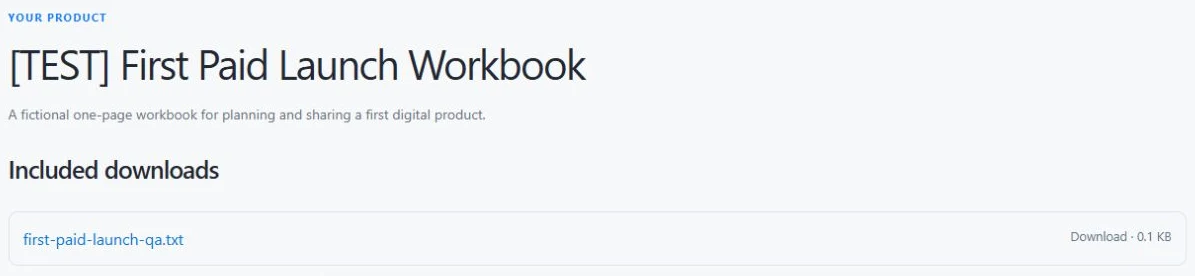
If the private link has expired, a Genesize buyer can request a fresh link from the purchase page using the email they used at checkout. Put your support address on the product page so buyers can reach you if they can’t find their purchase page.
Common questions
How do I sell a PDF online?
Upload the finished PDF to a digital-product platform, set a price, connect payments and publish a product page. Attach the paid file to the product so confirmed payment unlocks it automatically. Test the download from both the purchase page and the receipt before sharing your link.
Can I sell a PDF online for free?
You can start without a monthly subscription. Genesize Free to Sell is $0 per month. It charges 10% on direct sales and 30% on Genesize Marketplace sales before tax. Stripe processing fees are separate.
Can I sell a fillable PDF and a printable PDF together?
Yes. Attach both files to the same product and give each a clear name. For the fillable version, type in the fields, save and reopen it in the reader you recommend. Print a page of the printable version at the stated paper size.
How do customers download the PDF after buying?
With Genesize, a confirmed payment gives the buyer access to their purchase page, where the original PDF is available under Included downloads. The receipt contains a private access link. Buyers can request a fresh link from the purchase page using the email they paid with.
Can I stop a buyer from sharing a downloaded PDF?
Private purchase links control who can download from the store. A buyer can still copy a file they have saved. Some platforms offer PDF stamping to discourage sharing. Test the stamped file if you sell a fillable workbook or a printable that needs clear margins.
Have a PDF ready to sell?
Upload your finished file, publish your product page and share the link.
Start selling for free