

Three ways to sell digital downloads without a website
| Option | When to use it | What to check |
|---|---|---|
| Hosted product page | You plan to share a link in a bio, email, post or message. | Confirm the platform connects checkout with private file access and a receipt. |
| Standalone payment link | You already have a way to deliver the file or grant access. | Set up delivery and confirm it runs after the payment succeeds. |
| Marketplace listing | You want buyers to be able to discover the product while browsing. | Check listing rules, payout terms and the commission for Marketplace sales. |
For example, Payhip documents a hosted checkout that sends buyers to a download page and emails them a receipt. Stripe documents manual and automated fulfillment for Payment Links. Gumroad lists a separate fee for sales found through its Discover marketplace. Payhip delivery guide · Stripe fulfillment guide · Gumroad pricing
If you choose a Payment Link, see how to deliver a digital download after a Stripe payment and test the buyer’s access before sharing the link.
How to turn your finished file into a product link
- Prepare the download. Open the actual file on a phone and computer. If you sell a ZIP, extract it and check what is inside. Use a clear file name and include any instructions or software requirements.
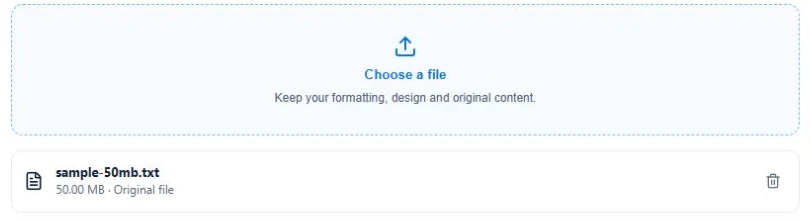
- Upload your product. In Genesize, choose Add product → I already have a product → Files & digital downloads. You can attach up to 10 files per product, up to 50 MB each, subject to storage limits.
- Connect payments. Go to Sell → Storefront. Set your currency and support email, then connect your Stripe account. Finish Stripe’s setup and check that payments and payouts are ready. On paid plans, accept the sales commission terms in Storefront settings.
- Write the offer. Open Publish & sell. Add the name, price, what’s included, and a sample page or image. Say whether the file is printable, fillable or editable.
- Preview, publish, and copy the product link. Check the saved buyer preview and confirm the right file is attached. Publish, then open the product link in a private browser window. Use this link when you send a buyer to a specific product.
Example product page for a finished PDF
Client Kickoff Workbook · $19 USD
Plan your first client kickoff in one sitting. The download includes a 12-page printable PDF with an agenda, discovery questions, and a handoff checklist. Open it with a PDF reader. Buy once and download it after payment.
What are you ready to sell?
- Printable or fillable PDF. Check how it prints or saves. Sell a PDF online.
- Editable Canva template. Put the Template link inside the paid delivery PDF. Sell a Canva template.
- Notion template. Build it in Notion and deliver its duplicate link in a PDF. Sell a Notion template.
- Spreadsheet template. Test the formulas and give buyers an editable copy. Sell a Google Sheets template.
- Ebook. Offer a PDF for printing and an EPUB for reading apps. Sell an ebook as EPUB and PDF.
If you already have a website and want to send visitors to the same checkout, follow the guide to selling downloads from your own site. If your buyers find you on social media, see how to sell digital products from your Instagram bio.
What does it cost to sell digital products with no monthly fee?
Genesize Free to Sell costs $0 per month. Genesize charges a commission based on how the buyer checks out, using the sale amount before tax. Stripe processing fees are separate. Here’s what that means for the fictional $19 workbook.
| Sales channel | Rate | Genesize fee | Left before processing |
|---|---|---|---|
| Direct product link | 10% | $1.90 | $17.10 |
| Genesize Marketplace | 30% | $5.70 | $13.30 |
Share your direct product link with people you reach yourself. Once the product is published, you can also add it to the Genesize Marketplace through its placement settings. Compare the two rates before listing. For paid plans and a break-even example, see the Genesize fee guide.
Test that the right file arrives after payment
A private draft preview lets you inspect the page and file. Use a sandbox checkout if your platform provides one to check the payment and delivery steps together before you promote your link.
- Open the product as a buyer on a phone. Check the title, price and currency.
- Confirm the test order opens the correct download.
- If your test setup sends an access email, open it in a fresh browser and download the file again.
- Check that a canceled checkout or an unpaid visitor cannot retrieve the paid file.
- Try the file itself and make sure the support address on the offer works.
See which steps a preview, $0 order, or paid sandbox checkout can verify in the delivery test guide.
Common questions
Can I sell digital products without building a website?
Yes. Use a hosted product page or a marketplace listing, upload the files you want to sell and set a price. Share the published link so people can buy. Choose a service that grants download access after payment if you want delivery to happen automatically.
Can I sell a PDF online with no monthly fee?
Yes. Genesize Free to Sell costs $0 per month for selling your uploaded products. Genesize charges 10% on direct sales and 30% on Genesize Marketplace sales, calculated before tax. Stripe processing fees are separate.
Can I sell digital downloads using a Stripe Payment Link?
Yes. A Stripe Payment Link lets you take payment through a shareable checkout. Arrange file delivery separately, either manually or through a fulfillment integration that grants access after confirming payment. A hosted digital-product service can combine the product page, checkout and file delivery.
How do I deliver a digital download automatically after payment?
Attach the finished file to your paid product on a platform that verifies the payment and grants access. Test with a buyer account in a sandbox. Open the purchase page and the receipt link, download the file on a phone, and confirm an unpaid visitor cannot access it.
Have a product ready to sell?
Upload your finished file, publish a hosted product page, and share your link.
Start selling for free