
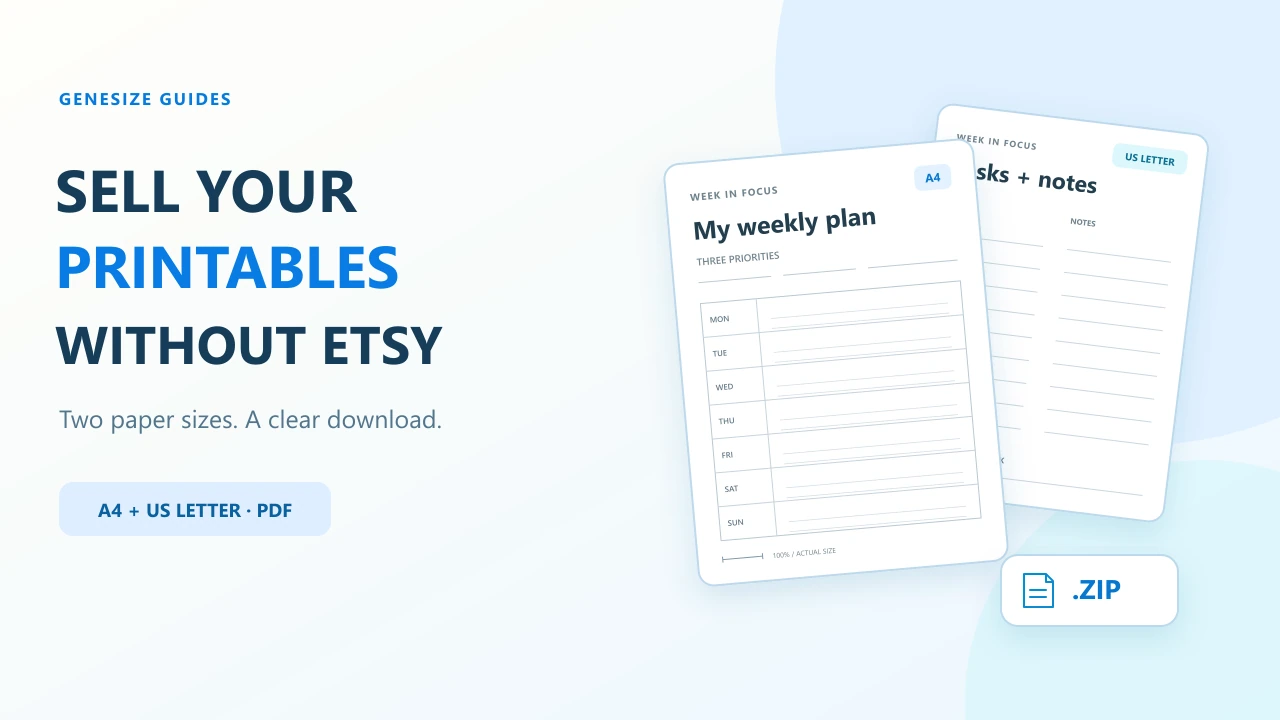
A finished printable pack: the $9 Week in Focus example
Use a specific product rather than a vague collection of “productivity printables.” Our example helps someone plan one week on paper: a weekly plan and a tasks-and-notes page, each exported for two paper sizes.
What this offer includes
- Product
- Week in Focus Printable Pack.
- Files
- Two PDFs with two pages each: A4 and US Letter. Both contain the same two layouts, not four different worksheets.
- Instructions
- A Start Here text file and usage terms, packaged with the PDFs in one ZIP.
- Worked price
- $9 USD, paid once, with any applicable tax shown at checkout.
- Excluded
- No printed item, shipping, editable design file or interactive PDF form fields.
The complete sample pack is free for this walkthrough. The $9 offer is illustrative, not a customer purchase or an earnings result.
Download the sample printable pack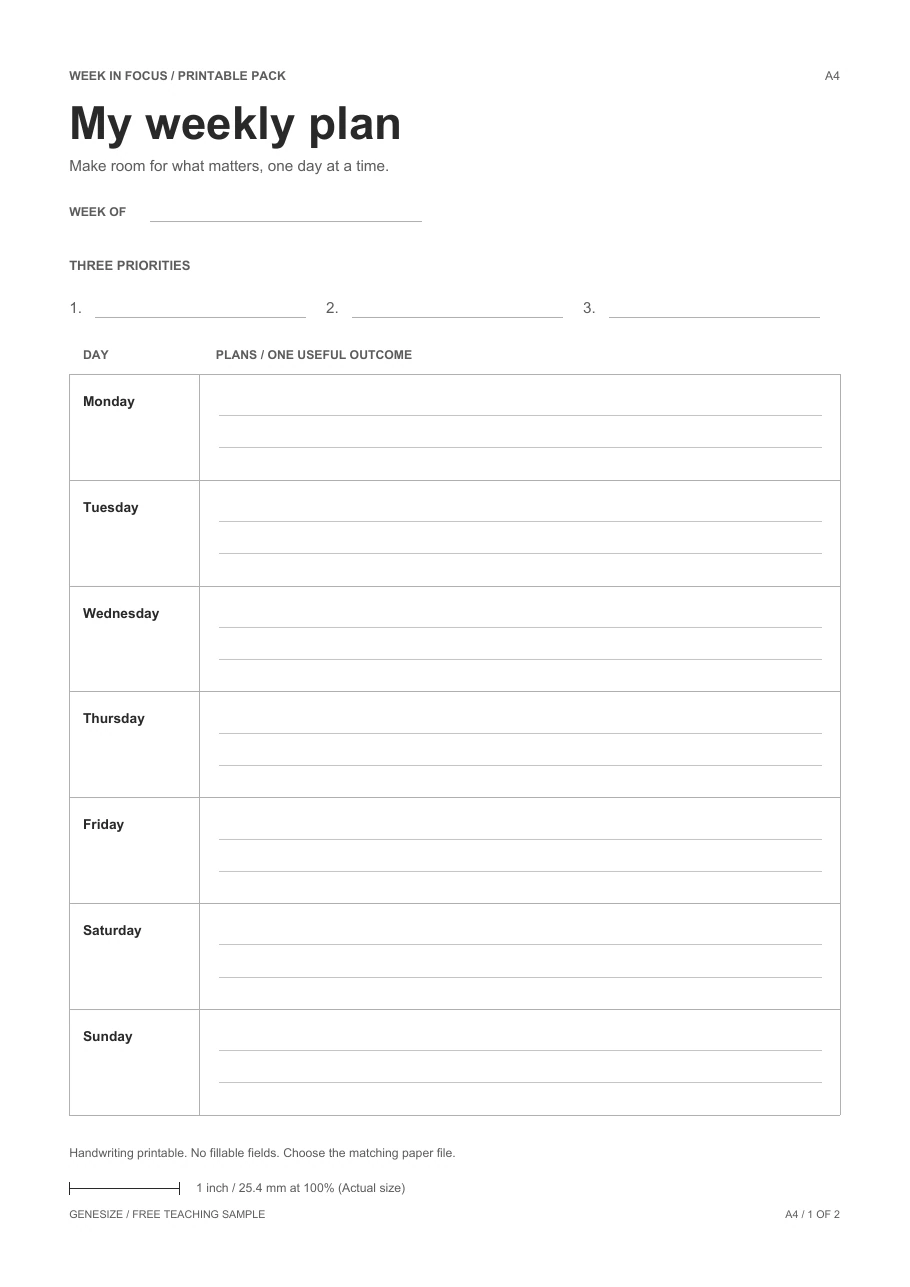
Choose where the sale happens
A hosted storefront lets you sell from a link without building a separate website. You still need a way for suitable buyers to discover that link. Start with an audience or search problem you understand; publishing a page alone does not establish demand.
| Route | The buyer’s path | Your responsibility |
|---|---|---|
| Your direct product link | Your own site, profile or permitted post leads to your offer. | Bring relevant visitors, explain the printable and provide support. |
| Etsy digital listing | The buyer purchases and receives the files through Etsy. | Follow Etsy’s listing, fee and transaction policies. |
On Etsy, instant-download listings currently accept up to five files, with a 20 MB limit per file, and do not offer digital listing variations. Including both prepared paper sizes in the delivered pack is different from promising an unprovided variation. Etsy’s digital-listing instructions.
If you also have an Etsy shop, keep transactions originating there within its permitted process. Do not use Etsy messages, listings, discounts or QR codes to steer an Etsy purchase to another checkout. This guide’s direct link is for your independently acquired audience. Etsy’s off-platform transaction policy.
For the Etsy-specific workflow, use our digital-download Etsy guide. For direct selling, the rest of this walkthrough uses Genesize.
Check the PDF’s paper size before testing the printer
A4 is 210 × 297 mm. US Letter is 8.5 × 11 inches. Their proportions differ, so export and inspect each version you advertise. Genesize delivers your original uploads; it does not automatically redesign an A4 worksheet as a US Letter edition.
- Open the correct PDF and check its page dimensions. Both pages in each sample use that edition’s paper size.
- Select matching paper and portrait orientation in the print dialog. Check that you loaded that paper in the printer too.
- For the sample, start with Actual size or 100%. Inspect the preview for clipped lines or text. Its one-inch scale line is a check you can measure on a physical test print.
- If a printer cannot accommodate the page’s margins, investigate its printable area and settings. Fit changes the scale; it may help a general planner, but is not equivalent to an exact-size print.
- Print one page before a whole set. Check writing space, legibility and the scale line. Use the settings you actually verified in your buyer instructions.
Adobe documents the difference between fitting a page and printing it at its original scale, including the possibility of cropping outside the printable area. Acrobat page-sizing instructions.
The sample uses simple low-ink lines for handwriting. It is not a fillable PDF. If you sell interactive forms, test typing, saving and reopening separately; see the PDF file-check guide.
Package files so buyers choose the right edition
Use names that remain understandable after download. The sample ZIP contains these four files:
week-in-focus-printables-a4.pdfweek-in-focus-printables-us-letter.pdfSTART-HERE.txtLICENSE.txt
The instructions identify the paper-size files, printing settings and the static handwriting format. The usage terms say what printing and reuse are permitted. Check the rights to fonts, artwork and other assets before selling your own pack; our digital-product licensing guide helps organize those checks.
For a small pack, separate PDF attachments can be easier for phone buyers. A ZIP keeps the files together but adds an extraction step. Choose deliberately and explain it on the offer. This walkthrough uses one ZIP, so its buyer instructions say to extract the pack and select one paper-size PDF.
This is one uploaded product containing a file pack. It does not require a paid multi-product bundle feature. See the file-pack and product-bundle guide if you are combining several offers.
Upload the printable and prepare its sales page
- Open Add product → Choose file in Genesize. Upload the finished ZIP or your primary PDF. Wait until the original file is saved to the private draft.
- Review the title, contents and starting price in Product details. Check the attachment in Your content. Confirm your permission to sell the material under Review & sell.
- Choose Continue launch. Complete the required store name, support email, seller terms and Stripe setup for a paid offer. Review the final price and currency on the sales page.
- State the paper sizes, pages, files and exclusions. Show a readable sample. For this example: “Two layouts in A4 and US Letter PDFs. Print at home. Digital files only; no physical planner or editable template.”
- Use Review & publish → Test buyer experience for the checks below. After reviewing the offer, publish it and use Copy sales page link to share its public destination.
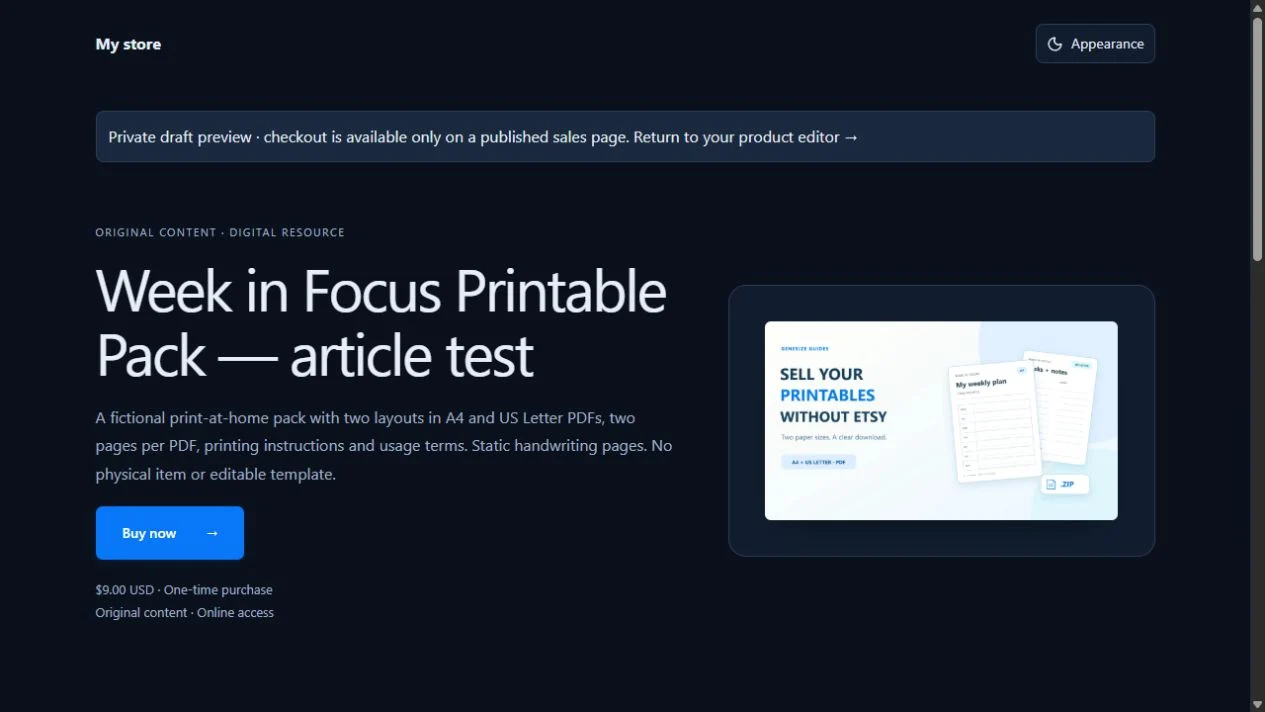
Free to Sell is $0 per month and supports finished-file upload, a storefront, checkout and delivery. AI creation, CRM and email marketing are not included. On an illustrative $9 direct sale, the 10% Genesize fee is $0.90; a 30% Genesize Marketplace sale has a $2.70 fee. These amounts are before tax; Stripe processing and other costs are separate. They are not a net-profit or payout calculation. Compare current plans.
Test the exact pack someone will receive
- In the saved offer’s buyer test, inspect the price and complete the simulated checkout. This does not create a real paid order.
- Open the private test delivery while signed out and download the included ZIP. Extract it, count the files and open both PDFs.
- Check each PDF’s two pages, paper size, filename and contents. Inspect print preview with the matching paper and intended scale. A successful download does not establish that it prints correctly on every printer.
- If you choose Send test receipt, verify that email and its private link separately. Provider acceptance, inbox arrival and an opened file are different observations.
- Use Refresh saved checks, confirm only the checks you completed and choose Save confirmation for that section. Retest when the saved edition changes.
Our verification: We uploaded this exact ZIP to an unpublished Genesize draft, reviewed the $9 simulated offer, signed out and opened its private test delivery. The downloaded ZIP and all four extracted files matched the originals byte for byte. We rendered and inspected all four PDF pages and checked their A4/US Letter dimensions, margins and one-inch scale lines digitally. No real payment, receipt email or physical print was made for this test. Test a page on your own printer before promising a physical result.
Follow the publishing help guide for saved-test controls, or the finished-file launch checklist for the wider launch. A private test-delivery link is not a public sales link.
Show one useful page before asking for the sale
Demonstrate a real task: planning three priorities and one appointment on the weekly sheet. Use fictional entries or your own information. Show both an empty page and a labeled example if that helps someone understand the writing space.
Example promotional message
Want one place to plan next week on paper? Week in Focus includes a weekly plan and a tasks-and-notes page in A4 and US Letter PDFs. $9 USD, paid once. These are print-at-home digital files, not a shipped planner or an editable template. Preview the pages and printing instructions: [your public sales link]
Replace every example detail with your own verified offer. Share through your website or a permitted social placement. The Pinterest guide covers useful preview images and destination links; the no-audience guide helps plan your first relevant outreach.
If buyers want to change the design, that is a different deliverable from the exported printable. Build and license the editable template separately; see Canva template delivery. Genesize does not turn an uploaded static PDF into an editable Canva template.
Fix the missing step before changing the whole offer
| Problem | Check first | Useful next step |
|---|---|---|
| Buyer expected a physical item | Title, images and the first description. | Label it a digital PDF download and state that nothing is shipped. |
| Page is smaller than expected | PDF edition, selected paper and Fit or scale settings. | Use the matching edition; check 100%/Actual size and a one-page test. |
| Edges are clipped | Paper orientation, page dimensions and printer margins. | Inspect preview and printable area; do not claim exact scale after fitting the page. |
| Buyer cannot type into the sheet | Whether the offer promised a fillable or editable file. | Clarify static handwriting use, or provide and test the promised interactive version. |
| Phone opens the archive but not the planner | Whether the ZIP has been extracted. | Extract it, choose the matching PDF or provide separate PDF attachments. |
| Purchase email is missing | Checkout email, payment, access and sending status. | Check Orders and recover through My purchases; do not ask the buyer to pay again without checking. |
| Visitors look but do not buy | Whether the sample, format, sizes and price are clear. | Address a specific buyer question and use the sales diagnostic guide to choose one change. |
Common questions about selling printables online
Can I sell printables without Etsy?
Yes. Put your finished PDFs on a public product page with checkout and digital delivery, then share its link through your own website or permitted promotional channels. You are responsible for finding buyers. A direct store does not automatically provide marketplace traffic.
Can I start selling printables for free?
Genesize Free to Sell has no monthly subscription. It charges 10% on direct sales and 30% on Genesize Marketplace sales before tax. Stripe processing fees are separate. Uploading finished files does not require AI creation, CRM or email-marketing tools.
Should I offer A4, US Letter or both?
Offer the paper sizes you have prepared and checked. You can sell one clearly labeled size, or include separately exported A4 and US Letter versions. Choosing another paper size in a print dialog does not create a properly laid-out alternative edition.
Are these printable PDFs editable or fillable?
The free Week in Focus sample is a static PDF pack for printing and handwriting. It has no interactive form fields or editable source template. If your own product includes a fillable PDF or editable design, supply and test that separate version and name the software needed to use it.
Does Genesize print and ship the product?
This workflow delivers digital files. The buyer downloads the PDF and prints it themselves or uses a printing service. No printed planner, paper, binding or shipping is included in the example offer.
Should I deliver a ZIP or separate PDFs?
Separate PDFs can be simpler for phone buyers because they do not need to extract an archive. A ZIP keeps the PDF editions, instructions and usage terms together. This walkthrough tests one ZIP containing four files; explain that buyers should extract it and choose their matching paper-size PDF.
Why did my printable come out smaller or cut off?
Check the PDF edition, loaded paper, selected paper size and scaling setting. Actual size or 100% preserves the PDF scale but may crop content outside a printer’s printable area. Fit changes the scale. Check the preview and print one page before producing a whole pack.
How does a buyer recover a missing printable download?
They can open the private link in their Genesize purchase email or request access through My purchases using the checkout email. Sellers should check payment, access and email status under Orders before asking someone to pay again. Do not put private purchase links in public comments.
Your printable is ready. Make the purchase clear.
Upload the finished pack, check the offer and delivery, and give the right buyer one public link.
Explore Free to Sell