
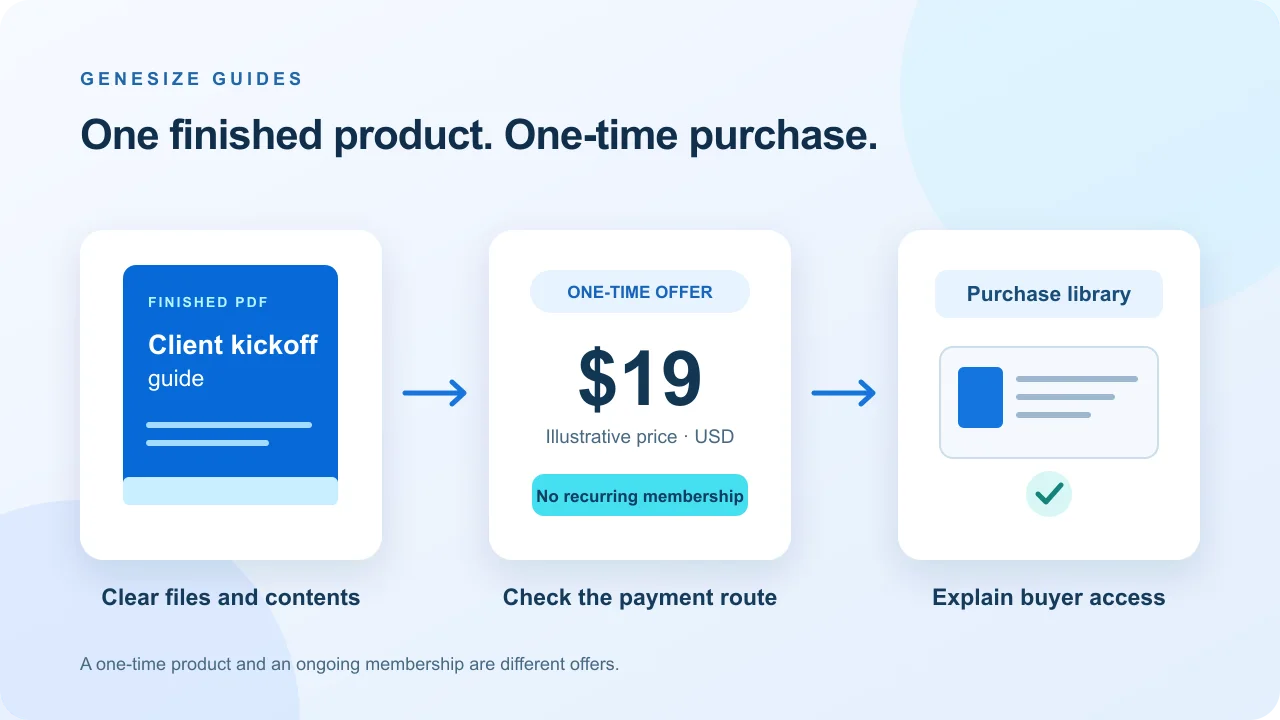
A one-time product is different from an ongoing membership
A finished resource can have a clear stopping point: the customer pays once and receives the specified work. A membership is a continuing offer with its own access, content or support commitments. Choose the model that matches what you intend to provide.
| Offer | Useful when | What to explain |
|---|---|---|
| One-time PDF, pack or paid post | The work is complete and has a defined scope. | Files, format, price and your actual update policy. |
| One-time collection | Several related posts form one useful set. | The included work and whether later additions are part of the offer. |
| Recurring membership | You intend to keep providing ongoing value. | Billing interval, access, benefits and cancellation terms. |
Patreon supports one-time digital media, posts and collections alongside memberships. Its product page says a shop can list work without an upfront listing fee, and membership inclusion is optional. Patreon’s digital-product overview. That does not establish that a new shop will bring buyers automatically.
- 1. Prepare the finished file
- 2. Explain the one-time offer
- 3. Buyer signs in and pays
- 4. Reopen through Purchases
The finished $19 PDF: Freelancer Project Kickoff Guide
Imagine your audience includes freelancers who need a more organized first client meeting. Instead of selling “access to my knowledge,” describe the finished resource they will receive.
A concrete offer to adapt
- Buyer
- A freelancer preparing a client kickoff conversation.
- Deliverable
- One ten-page PDF with five kickoff decision steps, a client-brief worksheet, deliverable record, asset tracker and recap checklist.
- Worked price
- $19 USD, paid once. Any applicable purchase tax is shown in checkout.
- Excluded
- No printed item, personalized consulting, recurring membership or editable source template.
- Public preview
- A short excerpt or screenshot that shows one useful part without exposing the paid file unintentionally.
The original PDF is free for this walkthrough. The $19 listing is illustrative, not a live Patreon offer or a revenue claim.
Use the plain-text launch checklist to record the real files, access choice, web price, app behavior and update promise. Your final description should match your own product exactly.
Example listing copy
Prepare your next client kickoff with a ten-page PDF covering the decisions to record, the client brief, asset requests and meeting recap. $19 USD, one-time purchase. Digital PDF only; no consulting, printed item or ongoing membership is included.
Use Patreon’s current post-based product editor
Patreon’s editor update brought digital products into the post workflow. Older product drafts may need to be recreated before their details or price can be changed; an older tutorial’s separate uploader may not match your account. Editor-change FAQ.
- From your creator account, choose Create → Product or Create → Post. Both routes can open the same editor.
- Add the product title, description and actual files. Keep the public sample separate from the material you intend to sell.
- Configure one-time paid access. Choose purchase-only access, or include the work in selected membership benefits as well, if that is what your offer promises.
- Set the one-time price, inspect the preview and review how the buy option appears alongside any membership choices.
- Publish the reviewed work to your Shop and share the specific product page.
These steps follow Patreon’s selling instructions. We did not create a Patreon account or publish a product for this article. Use the controls and eligibility requirements shown in your account, including any category-specific verification.
If the screen only offers recurring tiers, check paid-access and purchase controls before creating a membership you do not want to run. The current editor FAQ describes the one-time buy option and its preview placement.
Attach the file the customer will actually use
Patreon lists PDF, EPUB and ZIP among attachment formats. Its post-format guidance distinguishes media uploads from attachments, with attachments up to 5 GB per file. Supported formats and attachment limits.
- PDF guide: attach the complete readable PDF. State whether it is static, fillable or editable, and test only the features you advertise.
- Ebook: identify whether the buyer receives PDF, EPUB or both. Buying an EPUB is not the same as adding a Kindle Store book to their library.
- Template: provide the editable file or copy-link instructions, not just a flattened preview. Explain the application or account it needs.
- Audio pack: label the actual MP3/WAV files and any ZIP. Distinguish listening access from downloadable source audio.
The general post documentation describes an unlimited attachment count, while the one-time selling guide’s downloadable-file table lists 25 files. Do not assume those contexts are interchangeable. Follow the limit enforced by your current product editor and verify the full contents before publishing. Post-format guidance; one-time product file table.
Use filenames that survive download, such as freelancer-project-kickoff-guide.pdf, plus a Start Here file for a pack. State the version and usage permission. The licensing guide helps separate your own work from assets you have permission to redistribute.
What does a $19 Patreon sale leave?
Patreon’s standard platform plan for newly published creator pages is 10%, with processing and other applicable costs separate. Legacy pricing can differ. For a USD web card payment, its current fee table lists 2.9% plus $0.30 processing. Creator fee schedule.
| Item | Calculation | Amount |
|---|---|---|
| Sale price | One-time price before tax | $19.00 |
| Patreon platform fee | 10% × $19 | $1.90 |
| Assumed processing | 2.9% × $19 + $0.30, rounded to cents | $0.85 |
| Remainder | $19 − $1.90 − $0.85 | $16.25 |
This example assumes no tax, currency conversion, refund, dispute or other charge. Payout fees, business costs and income taxes are excluded. It is not a bank-deposit quote. Confirm your account’s plan, currency and payment method rather than applying this result to every sale.
An iPhone purchase can use a different fee route
Apple in-app purchases carry a 30% App Store fee. Creators can increase the app price or absorb it; Patreon does not add its ordinary processing fee to that Apple transaction. In a simplified $19 same-price example, $5.70 for Apple and $1.90 for the standard platform fee leave $11.40 before other applicable costs. That is different from the web example. One-time iOS pricing guidance.
Do not describe every iPhone purchase as an Apple in-app payment. Patreon’s current fan guidance says US iOS users can use its mobile-web checkout, without Apple’s in-app fee. Country, route and creator settings matter; inspect the final total. Current iOS buyer guidance.
What buyers do after clicking Buy
For a one-time purchase, the customer opens the product from the creator’s Shop or its direct page, signs in or creates a Patreon account, reviews the order and pays. Patreon’s buyer guide says a receipt provides a product link, and purchases can be reopened in Purchases. Buyer access instructions.
Explain that account step before sending people into checkout. “No subscription required” is accurate for a standalone purchase; “no account required” is not. A buyer can also be a member who already has access, so check that before asking them to buy the same work again. One-time purchase and membership options.
Once a file has been downloaded, the creator should help with the exact format supplied. For the PDF example, that means checking the downloaded filename, ten pages, readability and intended worksheet use. A payment confirmation alone does not establish that the file is usable on the buyer’s device.
If access is missing, ask the buyer to use the correct account and receipt, then inspect the transaction. Deletion or policy removal can also make purchased content unavailable; do not recommend a second payment as the first fix. Purchase recovery and unavailable products.
Patreon or Genesize for a finished digital product?
Choose around the buyer experience and work you need to manage. A creator with fans already using Patreon may value one place for media and membership benefits. A seller who wants a product storefront connected to creation and growth tools may prefer Genesize. Neither choice guarantees an audience.
| Decision | Patreon | Genesize |
|---|---|---|
| One-time products | Shop products, paid posts and collections. | Uploaded downloads, product offers and private delivery. |
| Starting subscription | No upfront product-listing fee. | Free to Sell is $0/month. |
| Platform fee on a direct sale | Standard new-creator rate of 10%; legacy rates vary. | 10% on Free to Sell; paid-plan rates below. Stripe processing is separate. |
| Buyer identity | A Patreon account is required. | A buyer can purchase without a Genesize creator account and recover files through private purchase access. |
| Large media | Native media features and larger attachment limits, subject to eligibility. | 10 attachments per uploaded product, up to 50 MB per file, with plan storage budgets. Long-course playback can use supported hosted links. |
| After a file update | Purchased post content can reflect later edits. | Uploaded-product buyers keep their purchased file edition. |
| Creation and growth | Creator publishing, community and audience tools. | AI creation and communities on paid plans; Growth Agent, CRM and email marketing on eligible Scale/Business plans. |
Patreon capabilities above follow its product overview and selling guide. Genesize limits and plan figures come from the current implementation. This is not a claim that the platforms have identical media hosting, tax handling or access behavior.
Genesize’s current sales commissions
| Plan | Monthly subscription | Direct sale | Genesize Marketplace |
|---|---|---|---|
| Free to Sell | $0 | 10% | 30% |
| Starter | $34.00 | 6.45% | 20% |
| Scale | $58.00 | 3.45% | 10% |
| Business | $128.00 | 1.45% | 5% |
Genesize commissions apply before tax; Stripe processing and other applicable costs are separate. Free to Sell does not include AI creation, CRM or email marketing. On a $19 direct Free to Sell sale, the Genesize fee is $1.90; this alone does not establish a lower total cost than Patreon. Use the fee calculator and current pricing page for your sales mix.
If you choose Genesize instead
- Open Add product → Choose file and upload the finished PDF or pack. Review the private draft under Product details and Your content.
- Confirm your rights under Review & sell, then choose Continue launch. Complete the offer, store details and Stripe readiness for a paid sale.
- Use Review & publish → Test buyer experience, check the delivery, then publish and use Copy sales page link.
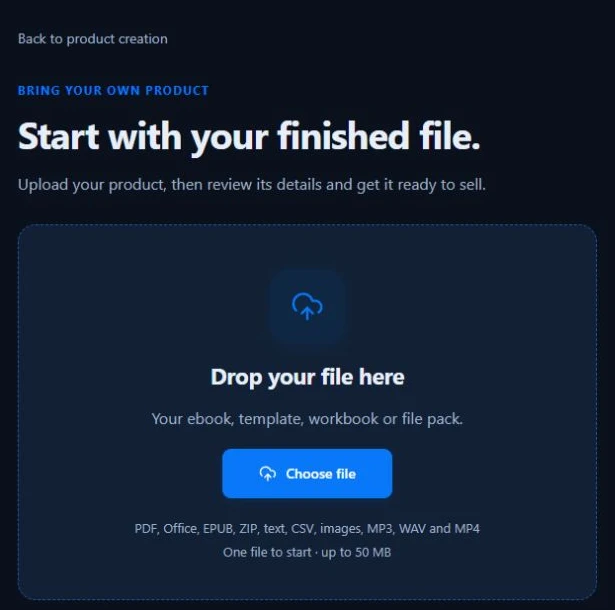
The publishing walkthrough explains those controls. Uploading an existing product does not require recreating it with AI.
Decide what a purchase promises after you update the files
Patreon says content sold through the current post experience can be edited after purchase, and earlier buyers see those changes. Stopping sales preserves prior access; deleting the underlying content can remove it. Product-management and update behavior.
Genesize uploaded-product orders retain the files from their purchased edition. Publishing new files serves future purchases; do not promise an automatic update to every earlier buyer unless you have arranged it. Keep the original release, a version record and a clear support route.
Write the update promise before launch
For a fixed-edition PDF: “This purchase includes the PDF edition described on this page. Later editions are not automatically included.” For a maintained resource, describe which future changes buyers receive, where they find them and the support you will actually provide.
Choose the wording that matches the platform and your commitments. Do not remove paid material simply because a newer edition looks better. A one-time price also does not mean unlimited future consulting.
Check the buying path without confusing a preview with a purchase
- Public offer: open the exact product page and confirm title, file, price, access choice and exclusions.
- Preview: check what a non-buyer can see. A public sample should be intentionally public.
- Checkout: review the account step, selected item, currency and any app-versus-web difference. Do not make a live payment just to inspect these screens.
- Delivery: use a platform-supported test or an authorized order to check the receipt, access and actual downloaded file separately.
- Recovery: confirm how the buyer gets back after closing the page or losing an email.
- Updates: record what earlier buyers keep and what a new edition changes.
One-time product launch record
Download a plain-text checklist with spaces for the offer, price assumptions, attachments, access choice and test observations. It includes the worked example and can be edited in a text editor.
Download the launch checklistHow we checked this guide: Patreon instructions and fees were checked against its documentation on November 22, 2026. We did not perform a Patreon checkout. The original sample PDF and Genesize screenshot come from our existing verified workflows. See the linked walkthroughs below for the delivery tests.
For Genesize, a simulated buyer test is separate from a real payment or inbox check. The PDF delivery walkthrough and payment-test guide explain those distinctions.
Fix the missing step
| Problem | Check first | Useful next step |
|---|---|---|
| Product opens the post editor | The current combined editing experience. | Configure the one-time purchase in the paid-access controls. |
| Buyer thinks membership is required | Product page and buy-option placement. | Explain one-time access and the separate Patreon account requirement. |
| PDF is absent from the preview | Whether it is an attachment in the paid content. | Check the supplied file; use a separate deliberate public sample. |
| iPhone total differs | Web versus Apple checkout and creator settings. | Review the actual order total and supported route. |
| Old draft cannot be edited | Whether it was created with the previous product editor. | Follow Patreon’s migration instructions and preserve earlier buyer access. |
| Purchased content is missing | Correct account, receipt, transaction and content availability. | Use Purchases and contact the creator before paying again. |
Common questions about selling digital products on Patreon
Can I sell digital products on Patreon without a paid membership?
Yes. Patreon supports standalone one-time purchases, so you do not have to make the buyer join a recurring paid membership to buy that item. Publish an eligible creator page and set the work for one-time sale. Account and content eligibility still apply.
Do buyers need a Patreon account?
Yes. A buyer must create or sign in to a Patreon account during checkout. That is different from joining a creator’s recurring paid membership. Purchases can be reopened from the Purchases tab or the receipt link.
Can I sell a PDF or ZIP on Patreon?
Yes. PDF, EPUB and ZIP are among Patreon’s documented attachment formats. Put the actual buyer files in the paid content and use a separate public preview. Check the limit shown in your product editor; post-upload and downloadable-product documentation use different file-count descriptions.
Why does Create Product open the post editor?
Patreon combined product and post editing. Create → Product and Create → Post can lead to the same editor. Configure paid access and a one-time purchase there. Older products made in the previous editor can have editing or republishing restrictions.
How much does Patreon take from a $19 digital product?
For this guide’s standard 10% plan and USD web card-processing assumption of 2.9% plus $0.30, the platform fee is $1.90 and processing rounds to $0.85, leaving $16.25 before other applicable costs. This is illustrative, not a payout quote; legacy pricing, currency, tax and purchase channel can change it.
Why can the Patreon iPhone price be different?
Purchases processed through Apple’s in-app system carry an App Store fee. Creators can raise the in-app price or absorb that fee. Patreon’s current fan guidance also describes a mobile-web checkout option for US iOS users, which avoids Apple’s in-app fee. Check the actual checkout route and total.
Will buyers receive an updated file after I edit a paid post?
For Patreon posts sold through the current experience, the purchased content can reflect later additions, edits or removals. Genesize uploaded-product orders instead retain the files in their purchased edition. Explain your update promise before selling; these are different delivery models.
Does unpublishing a Patreon product delete past purchases?
Stopping sales or unpublishing is different from deleting the underlying content. Patreon says earlier buyers keep access when you stop selling, while deleted or policy-removed content can become unavailable. Check the selected action and your buyer commitments before changing an existing offer.
Your file is finished. Make the purchase clear.
Choose the platform that fits your files, buyer access and future update promise. For a Genesize store, start with your original upload.
Explore Free to Sell