
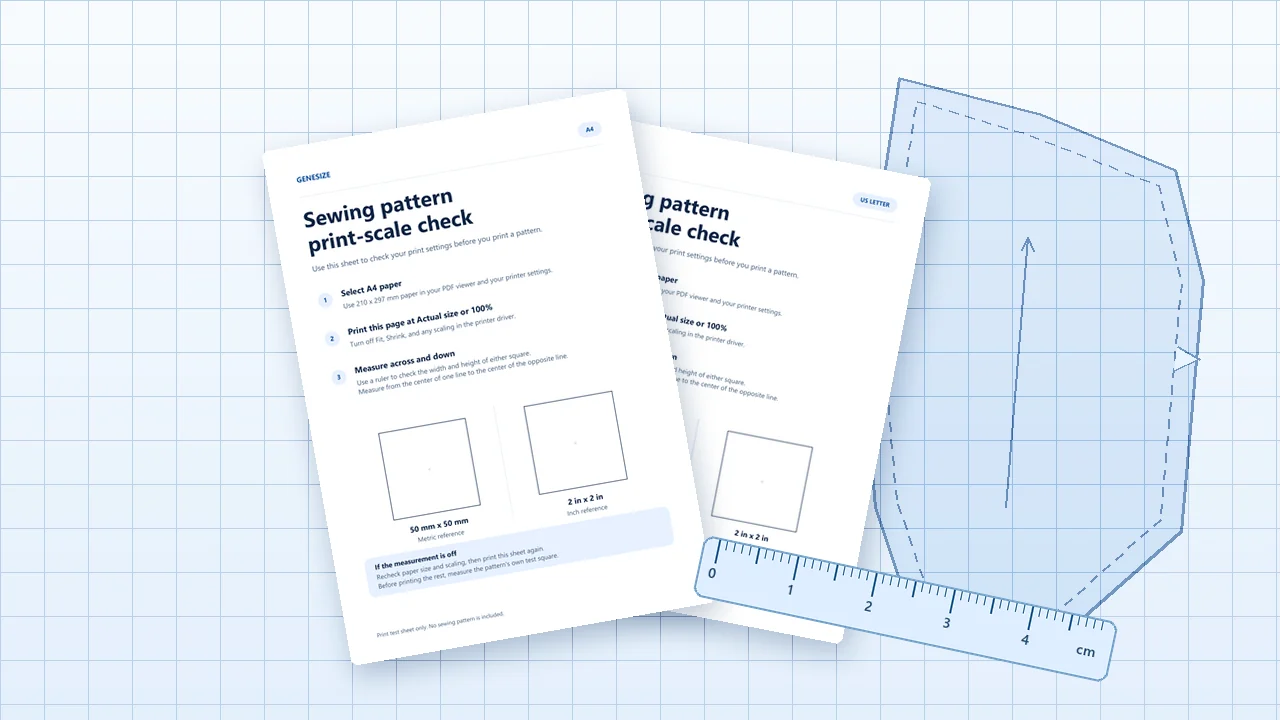
1. Export a PDF for each printing method you support
Choose the formats you can test. A buyer should be able to look at a filename and know which version works for their paper or equipment.
| PDF edition | Where it is used | What to check before selling |
|---|---|---|
| A4 | Home printing on 210 × 297 mm paper. | The scale box, page margins, and tile joins on A4 paper. |
| US Letter | Home printing on 8.5 × 11 inch paper. | The scale box and tile joins on Letter paper. Retest the layout if one PDF is meant to work on both sizes. |
| A0 | Large-format printing at a copy shop. | The full-size page count, shop paper compatibility, and a scale marker on the first printed pattern sheet. |
| Projector | Projecting pattern pieces onto fabric. | A scale reference, readable lines and labels, and calibration in both directions on the cutting surface. |
Print shops may use several large-format paper sizes. Send the intended copy-shop file, specify the scale, and ask the shop to check the scale marker before you use the print. A dedicated projector edition can use heavier lines and larger labels. Test those choices with your own equipment. Simplicity’s PDF pattern printing guide · Road Trip Pattern Co.’s projector and printing guide.
2. Build a download buyers can follow
For a fictional Harbor Tote pattern, you could ship the files below. Use plain filenames and keep the same version number on the listing, instructions, and pattern PDFs.
| File | What it tells the buyer |
|---|---|
START-HERE.txt | Which file to open, the scale-check page and measurement, and where to get help. |
harbor-tote-v1-instructions.pdf | Materials, size information, seam allowances, tile map, and sewing steps. |
harbor-tote-v1-a4.pdfharbor-tote-v1-letter.pdf | Home-print tiles in the appropriate paper size, with page labels and alignment marks. |
harbor-tote-v1-a0.pdfharbor-tote-v1-projector.pdf | Large-format print and projector editions, when included in the offer. |
For a garment, make body measurements and finished garment measurements easy to distinguish. Tell buyers whether seam allowances are included. If the PDF has selectable size layers, give the exact steps for choosing a layer in a PDF reader and check that the alignment marks stay visible.
Copy the buyer’s Start Here note
Fill in your actual filenames, print settings, test-box size, and support details.
3. Print one page and measure the scale box
- Open the PDF edition that matches the paper in your printer. Select the page containing the pattern’s reference box.
- In your print dialogue, check the paper size. Choose Actual size or set the scale to 100%. Print that page first.
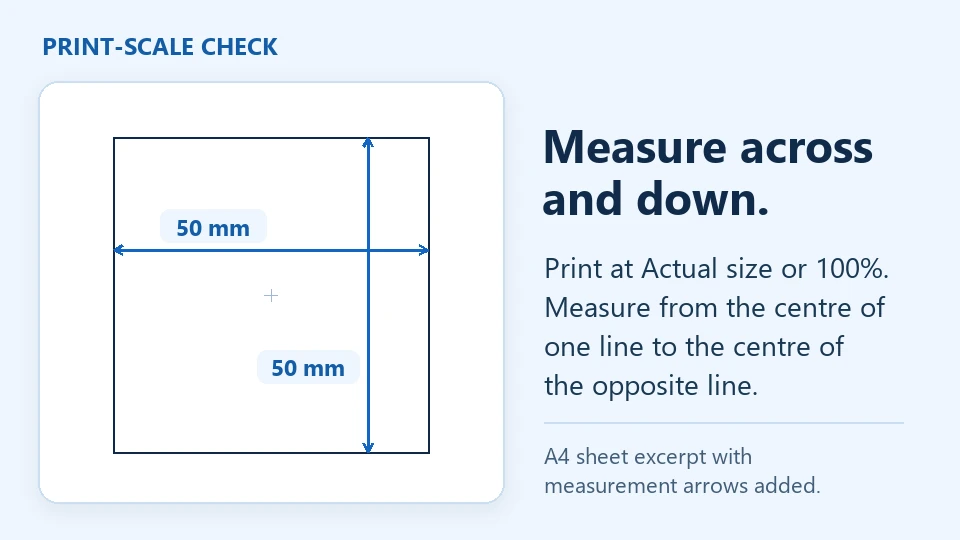
- Measure across and down with a ruler. Start at the center of one printed line and stop at the center of the opposite line. Compare both measurements with the size marked on the pattern.
- Once the dimensions match, print two adjoining tiles at the same settings. If the lines and alignment marks meet when assembled, print the rest.
Genesize verified the PDF dimensions and scale-box geometry in both practice sheets below. Use one to check your print settings, then repeat the check on your own pattern’s test page. Adobe’s guide to printing at actual size.
Download a one-page print-scale check
Choose your paper size. Each sheet has a 50 mm square and a separate 2 inch square. Measure one in the unit shown.
4. List the pattern and test the buyer’s download
Show a photo of an item made from the pattern and a preview of the instructions. List the sizes, skill level, included PDF editions, and file type beside the price. Tell the buyer they will receive pattern files to make the item.
- In Genesize Studio, choose Add product → I already have a product → Files & digital downloads. Add the PDFs or a single clearly named ZIP, within the limits shown in the editor.
- Save the offer. In Review & publish, run Test buyer experience, complete the simulated checkout and open test delivery. Choose Open test purchase and download the files under Included downloads. Try the Start Here note without relying on your design files.
- Connect Stripe for paid sales, finish setting up the storefront, and run your separate payment check. Publish and share the public link. After payment, buyers can open their files from the purchase page or return through their receipt.
If you also list on Etsy, its instant download listings accept up to five files, each up to 20 MB. Put the Start Here instructions inside the sewing instructions PDF if you need to save a slot. Tell mobile buyers to open their purchase in a browser to download the files. Etsy’s digital listing requirements · Etsy’s buyer download instructions · Genesize publishing guide.
5. Fix common PDF sewing pattern problems
- The scale box is too small. Double-check paper size and that the print dialogue uses Actual size or 100%. Print only the test page again.
- The scale is right but a tile edge is cut off. Check the paper edition and printable margins. Try another printer, or use the copy-shop edition if your home printer cannot print the required area.
- Two pages do not align. Compare the page labels with the tile map and check that all pages were printed at the same scale.
- The buyer opened the wrong version. Give each file a descriptive name and put the names in the download instructions exactly as they appear in the purchase.
Common questions about selling PDF sewing patterns
What files should I include in a PDF sewing pattern?
Include sewing instructions and the pattern files for the printing methods you support. Start with the home-print sizes you have tested. Add A0 or a projector PDF if you can verify those versions. Include a page or note that tells buyers which file to open.
What is the difference between A4, US Letter, and A0 sewing pattern PDFs?
A4 and US Letter are common home-print paper sizes. A tiled pattern prints across several home sheets that the buyer assembles. An A0 PDF is a large-format pattern for a copy shop. Pick the file made for your paper and print at its stated scale.
Can a buyer use my A0 pattern on a projector?
Some buyers may be able to project a large PDF, depending on their setup. Advertise a projector edition when you have tested it with a calibrated projector. Make important lines and labels easy to see and give buyers a scale reference.
Can I sell a sewing pattern without Etsy?
Yes. Publish the files on a hosted product page and share the link. On Genesize you can upload a finished PDF or ZIP, connect Stripe for paid sales, and let buyers return to the files through their receipt.
Have your pattern files ready?
Upload the finished PDFs, test delivery, and share your product link.
See Free to Sell