
What makes a good AI ebook generator?
An AI ebook generator helps turn an idea or existing content into a structured book draft. Some tools also handle page design, covers and exports. Others connect the finished product to a sales page, payment and delivery.
Start with one question: what should your reader be able to do after reading this? A freelancer’s client-onboarding guide needs clear steps and usable examples. A visual workbook needs space to complete exercises. A long book for reading apps needs an appropriate file format. The same software will not suit every project equally well.
- Writing: Can you review the outline, edit chapters and improve a specific section without starting over?
- Design: Can you control headings, spacing, images and branding while keeping the pages consistent?
- Export: Do you get the file your reader or publishing destination needs, plus an editable copy?
- Selling: Where will the offer, checkout and buyer access live? What do those services cost?
- Capacity: Does the plan cover your expected projects, AI generation and revisions?
Choose the workflow before the longest feature list. A tool that generates more pages is not automatically producing a more useful product.
Five AI ebook creation tools at a glance
These options cover different jobs. The “best fit” column is our editorial recommendation based on their documented capabilities. Prices below use the stated billing basis, not interchangeable monthly equivalents.
| Tool | Best fit | Ebook output | Selected price / access |
|---|---|---|---|
| Genesize | Educational products with a connected selling workflow | PDF, DOCX, text; no EPUB | Starter 34 USD/month, billed monthly |
| Designrr | Repurposing and formatting existing content | PDF; EPUB on Pro and higher | Standard $29/month; Pro $39/month |
| Automateed | Book-focused creation and publishing | PDF, EPUB, DOCX in supported workflows | Entry Lifetime $149 one-time; four ebook credits/month |
| Canva | Visual layouts, covers and workbooks | PDF for designed documents | Free; Pro $144/year for one person, billed annually |
| Gamma | Visual PDF guides and shared documents | PDF; no EPUB | Free plan; paid plans for additional layout and branding features |
Paid prices shown are USD before applicable taxes. Free plans and previews have limits. Lifetime offers still have usage allowances; annual plans require upfront payment. Check the provider’s current checkout, export options and additional charges before purchasing. Gamma’s numeric paid prices were not available in the public page text we could verify, so they are not quoted here.
Genesize: for turning your knowledge into a digital product business
Genesize organizes creation around a saved product. You can generate an ebook, refine its chapters, create or upload a cover, adjust the design and export it. Then use that product in your storefront and AI-generated sales funnel.
This is a useful fit for practical nonfiction: a guide, playbook or educational resource based on something you know. Advanced Create lets you review and edit the blueprint before generating the full draft. Section-level AI actions help improve, shorten, expand or simplify copy while manual editing stays available.
What happens after the manuscript?
Choose a PDF layout and brand settings, then export PDF, editable DOCX or plain text. To sell, prepare an offer, connect your Stripe account and publish a storefront or funnel. Paid buyers use Stripe-hosted checkout and receive the published product through online reading and your selected PDF or DOCX download. Genesize does not take a platform share of product revenue; Stripe processing fees apply.
Starter includes these creation and selling tools. Higher plans add CRM, email tools and Growth Agent guidance. Marketing sends and automations require an eligible paid subscription after the first payment. Communities and paid memberships are coming soon in a future release and are not available to launch publicly yet.
Cost and limitations
Starter is 34 USD per month on monthly billing, with 1000 monthly AI credits and 3 saved projects. Annual billing is 285.60 USD upfront. Credits refresh monthly on both options and do not roll over.
A standard five-chapter ebook with balanced depth uses 100 credits; an optional AI cover adds 20. Manual edits, design adjustments and exports use none. Larger products, rewrites and funnel generation have separate displayed quotes. Saved-project limits describe what you keep in your workspace, not a monthly creation allowance.
The main limitation: Genesize does not currently export EPUB or publish directly to Kindle. Its advantage here is the connected workflow for creating and selling an educational digital product, rather than retailer-specific book publishing.
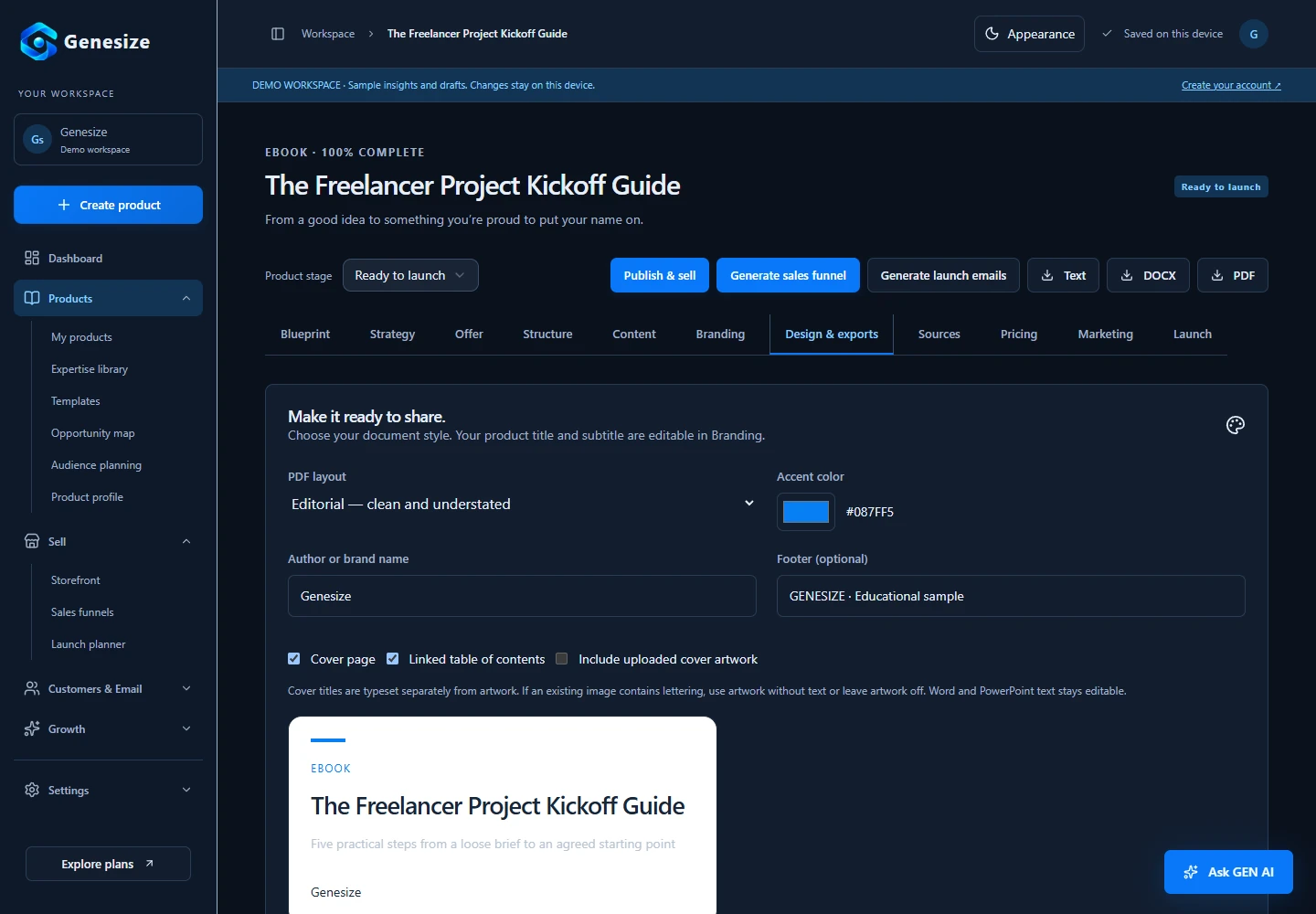
The Freelancer Project Kickoff Guide
Open the sample PDF to inspect the contents, chapter layout and exercises. It was prepared for our ebook guide and produced through Genesize’s export pipeline.
For the complete process, follow our guide to creating and selling an ebook with AI.
Designrr: for turning existing content into an ebook
Designrr is worth considering if your material already lives in blog posts, Word documents or Google Docs. Its import and template workflow helps organize that content into a designed ebook. WordGenie also provides AI content generation. The monthly plans list Standard at $29 and Pro at $39; Standard includes AI, while Pro adds EPUB export.
Strength: content repurposing and layout tools. PDF output suits a downloadable guide; a dedicated EPUB project supports a different reading format. See Designrr’s PDF instructions and EPUB workflow.
Watch: unlimited ebook projects do not mean unlimited AI manuscripts. Its current AI documentation lists five manuscripts monthly on Standard and ten on Pro. Confirm the exact plan and export before buying a promotional offer. We did not verify a native customer payment checkout; plan your selling and delivery route separately.
Automateed: for a book-focused creation and publishing workflow
Automateed combines outlines, AI chapter drafts, editing, covers and design. It advertises PDF, EPUB and DOCX exports in supported book workflows. It also offers marketplace listings and checkout, so it is more than a manuscript generator. Its official product and plans page describes these capabilities.
Strength: a book publishing workflow with multiple exports and a selling route. Watch:listings require content review, live author websites have a separate hosting subscription, and the platform-royalty route advertises an 85% author share before reversals. Payout eligibility and provider fees matter too. The advertised Entry Lifetime offer is $149 once with four ebook credits monthly; it is not unlimited generation. Check the current offer and project-specific exports.
Canva: for covers, visual workbooks and page design
Canva is a strong candidate when visual control is your priority. Its ebook templates and drag-and-drop editor help you build covers and interior pages. Magic Write can draft or revise text within the design workflow.
Strength: flexible visual layouts for illustrated guides, worksheets and brand assets. Watch:you still need to manage a coherent manuscript and a selling route. Treat PDF design as the workflow compared here; do not assume it provides reflowable ebook output. Canva’s download documentation lists PDF Standard and PDF Print for documents.
The pricing page lists a Free plan and Pro at $144 USD per year for one person on annual billing. AI allowances and premium assets vary by plan. Check what your actual design uses before assuming the finished file will be free to export.
Gamma: for turning ideas into visual documents
Gamma can generate or organize content into a document, with cards, visuals and PDF export. Its official ebook guide explains a Document-format workflow with chapters and a table of contents. Our recommendation is to consider it for visual guides and resources you also want to share as a live link.
Strength: an AI-assisted visual document workflow. Watch: Gamma says it is not purpose-built for ebooks and does not currently export EPUB. Its ebook guide places the full workflow on paid plans, with page numbering and branded headers or footers requiring Pro or higher. Check the exported pages and whether its document structure suits your manuscript.
Gamma offers Free, Plus, Pro and Ultra plans. Free supports simple documents and PDF export; Plus removes Gamma branding. Confirm the current paid price and the layout features you need before subscribing.
Test the same small ebook in your shortlisted tools
A feature table cannot tell you whether the final product sounds like you or reads well on a phone. Use one brief in two tools before committing. This is a suggested exercise for your own evaluation, not a test we claim to have run across these platforms.
A freelancer’s guide to starting a client project
Audience: independent designers working with a new client. Outcome: agree on scope, responsibilities and the first milestone. Contents: five concise chapters, a kickoff checklist and two realistic examples. Tone: clear and practical. Include only facts you can verify; do not invent customer results.
- Review the outline. Does each chapter earn its place, or do several repeat the same advice?
- Edit one section. Add your own example and shorten a paragraph. Check how easily you keep the changes.
- Inspect the export. Open the file on a phone and computer. Check headings, page breaks, contents links, images and exercises. Test EPUB in a suitable reader if that is required.
- Check the handoff to selling. Work out where your offer lives, how a buyer pays and how the file is delivered. Preview the entire journey before sending traffic.
- Calculate the full cost. Include generation limits, revisions, assets, hosting and selling fees. Do not treat five saved projects, five AI manuscripts and five ebook credits as equivalent allowances.
What turns an AI draft into something worth buying?
A clear promise, specific examples and a usable outcome matter more than length. Replace vague advice with decisions, checklists and steps the reader can apply. Remove claims you cannot support. Ask someone in the intended audience to try a chapter and explain where they got stuck.
Then choose how you will reach buyers. Software can help prepare the product and purchase experience; sales still depend on demand, the offer and distribution. Our guide to selling digital products without an audience covers practical ways to start that work.
Frequently asked questions
What is the best AI ebook generator in 2026?
It depends on your workflow. Genesize is a strong fit for creating an educational ebook and connecting it to a storefront and sales funnel. Designrr suits repurposing existing content, Automateed offers a book-focused creation and publishing workflow, Canva suits visual layout work, and Gamma suits visual PDF guides. These are fit-based recommendations, not a measured ranking of writing quality.
Can AI write an entire ebook?
Yes, tools can generate an outline and chapter drafts. You still need to check facts, add useful examples from your experience, remove repetition and review the finished file. A generated manuscript is a starting point; the value comes from how well the final book solves the reader’s problem.
Is there a free AI ebook creator?
Canva and Gamma have free plans with limits. Free access can help you explore a workflow, but check AI allowances, premium assets, export branding and layout restrictions before choosing it for a complete product. A free preview and a finished, editable ebook are different deliverables.
Can I export an ebook from Genesize as EPUB?
No. Genesize currently exports ebooks as PDF, editable DOCX and plain text. It does not currently offer EPUB export or direct publishing to Kindle. Choose a tool with the required export if an ebook retailer or reading app is your main destination.
How much does it cost to create an ebook with Genesize?
Starter costs 34 USD per month on monthly billing and includes 1000 monthly AI credits and 3 saved projects. A standard five-chapter ebook with balanced depth costs 100 credits; an optional AI cover costs 20. Manual edits, design changes and exports use no credits. Additional AI actions have their own displayed costs.
Does an AI ebook generator help me sell the book too?
Some do. Genesize connects the product to a storefront, sales funnel, Stripe checkout and buyer delivery, without taking a platform share of product revenue; Stripe fees apply. Other tools offer different publishing or selling routes. Check how payments and delivery work on your chosen platform. You still need a way to reach buyers.
Create the ebook. Build the offer around it.
Bring an idea and your expertise to Genesize. Create an editable product, refine the design and explore how it connects to a storefront and sales funnel.
Start your 14-day free trialEligible new subscribers receive 300 total AI credits and up to 3 saved projects during the trial. Payment method required. Cancel before the trial ends to avoid charging. Your selected subscription renews unless canceled.