
What does a digital product sales funnel actually do?
A funnel connects the decisions a buyer needs to make. Is this for me? What do I get? Is the price clear? Can I trust the checkout? How do I access the product afterward? Each page or email should help answer one of those questions and make the next action easy.
You do not need a long sequence of pages to sell an ebook, written course or template pack. A focused product page with checkout and delivery already forms a buying journey. Add another step when it serves the buyer, such as a sample for someone who wants to assess your teaching before purchasing.
A storefront and a funnel can work together. Your storefront presents the catalog; a funnel concentrates attention on one offer. For a post about client onboarding, link to the relevant kit rather than expecting readers to search an unrelated catalog. Keep the navigation and wording consistent so the destination matches what brought them there.
Choose between direct sales and a lead-magnet funnel
| Route | The journey | Useful when |
|---|---|---|
| Direct sales | Relevant visit → sales page → checkout → product access | The visitor understands the problem and can evaluate the offer from its contents, sample and price. |
| Lead magnet and follow-up | Relevant visit → free resource signup → resource delivery → permitted follow-up → sales page → checkout → access | The visitor wants to try a small part of your approach or learn more before buying. |
A returning reader who has already seen your sample may be ready for the product page. A first-time visitor reading about a problem may prefer the free checklist. Traffic source and familiarity matter more than a rule that every product needs a particular funnel structure.
Start with one offer and one route you can maintain. You can learn from the first version before adding upsells, extra offers or more automation. More steps create more links, copy and delivery promises to check; they do not automatically improve sales.
Step 1: define the buyer, outcome and actual deliverables
Before writing the page, specify what the customer is buying. “A guide for freelancers” leaves too much interpretation. “A client onboarding kit for beginner freelance designers, with a questionnaire, kickoff checklist and four editable email scripts” tells the buyer whether it fits their current task.
First Client Onboarding Kit
- Buyer
- A beginner freelance designer preparing a first paid client project.
- Outcome
- Gather requirements, agree kickoff decisions and prepare the main client communications.
- Included
- A practical PDF guide, a client questionnaire, a kickoff checklist and four editable email scripts.
- Example price
- $19 USD, one-time purchase. This is a fictional price for the walkthrough, not a recommended market price.
- Free resource
- The kickoff checklist, supplied separately as a useful sample of the paid kit.
The fictional worked project throughout this example is a five-page bakery website with a $1,500 design fee, two revision rounds and a three-week timeline. Those are project details inside the teaching example; the digital kit costs $19.
Finish the resources before promising them. A page saying “four email scripts” should deliver four complete scripts with subjects, messages and placeholders, not instructions to write them later. Review AI-generated examples for consistent facts and remove claims about proven results unless you have evidence.
If the offer is still uncertain, use our digital product validation guide. For choosing a format, see digital product ideas; for costs and pricing decisions, see how to price digital products.
Step 2: write a sales page that makes the purchase understandable
The page should make the product easy to assess. Begin with the buyer’s situation and the useful task the product supports. Then show the contents, format, sample, prerequisites, price and support. A visitor should not have to scroll to checkout to discover whether the offer is a PDF, video course or subscription.
Headline and explanation
“Prepare your first design-client kickoff with a clear checklist and ready-to-edit emails.” Follow with a sentence naming the beginner audience and included toolkit. Avoid guaranteed clients, revenue or effortless results.
Contents and a useful sample
List each deliverable and show a readable excerpt. For the kit, explain what the questionnaire collects and show one completed kickoff field. Use actual product material rather than a decorative mockup alone.
Price, access and support
“$19 USD · one-time purchase · PDF guide and editable scripts.” Explain how files arrive, what the buyer needs to use them and where to ask for help. State the support and refund terms you actually provide.
A clear purchase action
Use a specific button such as “Get the onboarding kit.” Link it to the correct offer. You can repeat the same action after the contents and FAQ without sending visitors to competing destinations.
Only use testimonials you have permission to publish and can substantiate. If you have none, a concrete sample, accurate contents and clear creator background can help people evaluate the offer. A countdown or claim that stock is running out should not be added to a downloadable product unless it reflects a real constraint.
Check the page on a phone. The headline should be readable, the price should remain visible and the purchase button should be easy to tap. Expand the FAQ, check image text and follow each link. A page that looks polished on desktop can still make buying difficult on a narrow screen.
Step 3: connect payment to the product you promised
Checkout should confirm the same product, amount, currency and payment frequency as the page. Make the distinction between a one-time purchase and recurring billing obvious. Include any applicable additional charges in the buying explanation rather than leaving a surprise for the final step.
Check that your payment connection is ready to accept payments. A saved page does not complete payment-provider onboarding. In Genesize, creators connect Stripe through Store settings; the owner controls payment and payout setup. Country availability, verification and processing fees depend on the payment provider and account.
After purchase, give the buyer a clear access route, working download and support address. For a written course, confirm the online lessons are in the right order and the exercises follow the teaching. A receipt alone does not establish that the right product edition was delivered.
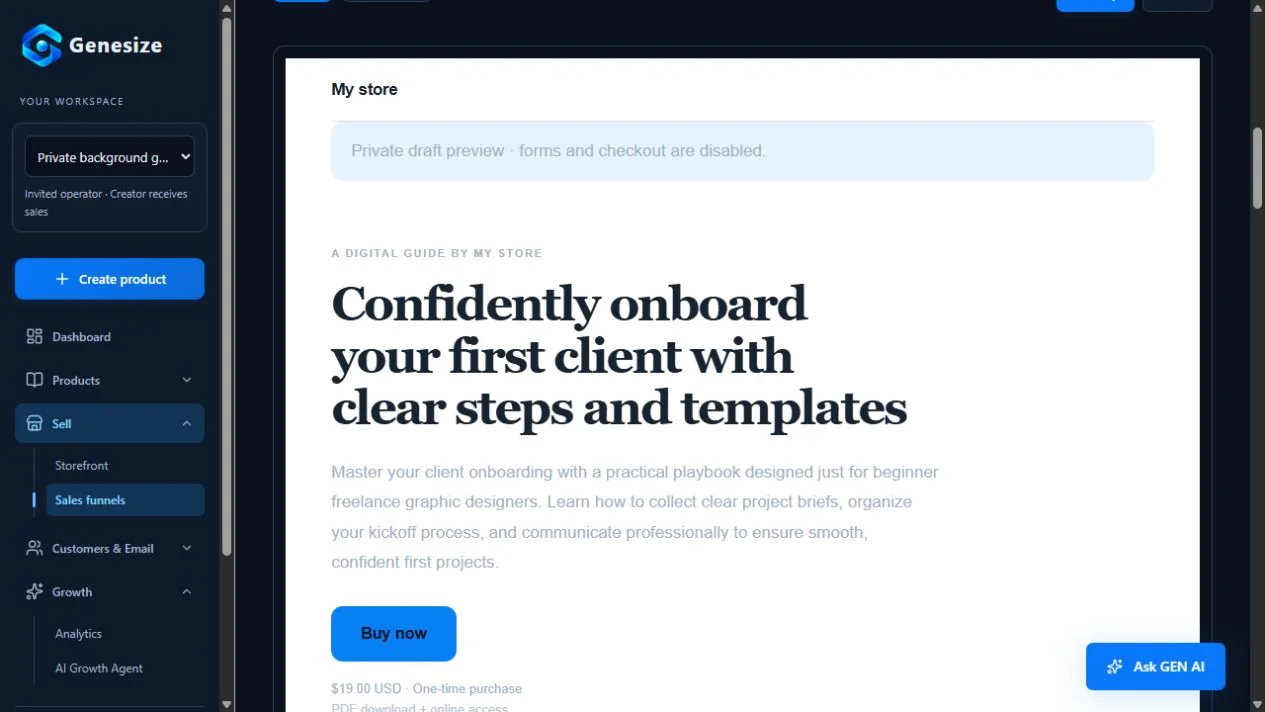
Use a buyer preview before launch. In Genesize, the preview available in publication review lets you inspect the saved product’s reader and actual download without placing an order. Draft forms and checkout are disabled. If you also test payments in an available sandbox, use its test mode and keep those orders separate from customer sales.
Check the published edition after reviewing changes. Saving a new product draft, changing the Store price or editing a funnel does not mean every public page has changed. Review and publish the offer you intend new buyers to receive, then confirm the live page displays it accurately.
Step 4: add a free resource only when it helps the buyer
A lead magnet should solve a small part of the paid product’s problem. The onboarding kit’s kickoff checklist lets a designer organize the first meeting. The paid kit adds requirement gathering, more guidance and the client email scripts. The relationship between the free and paid materials is easy to explain.
Write a focused signup page: “Get the client kickoff checklist: record scope, approval and feedback decisions before you start.” Show a sample and explain the download format. Ask for the information you actually need; an email address may be enough to deliver the resource.
Explain resource delivery and marketing separately. Requesting a checklist should not silently subscribe someone to unrelated promotions. Use clear signup wording, make optional choices understandable and honor unsubscribes. If your email tool supports a confirmation step, double opt-in can verify an address and the person’s intent; Mailchimp explains that two-step process. Do not assume every form or platform implements it automatically.
Show the resource link on the thank-you page as well as the expected delivery instructions where supported. Tell the person what happens next and provide a support route if access fails. Check the delivery yourself with an address you control before sending traffic.
Keep the next offer optional and relevant. “If you also need a questionnaire and client scripts, see the complete kit” gives context without implying that the free checklist is useless. Our lead magnet guide covers choosing and creating the resource itself.
Step 5: prepare a short, useful email sequence
These drafts continue the same fictional $19 kit example. Replace every placeholder, confirm that the resources exist and adjust the schedule to what subscribers expect. The promotional messages are for opted-in people who have not already bought the kit.
1. Deliver the resource
Subject: Your client kickoff checklist
Hi [first name], Here is the client kickoff checklist you requested: [resource link]. Before your next kickoff, write down the agreed scope, the person who approves the work and when you need their feedback. Use the blank checklist to keep those decisions together. If the link does not open, contact [support email] and I will help. Thanks, [creator name]
Deliver what was requested. Keep promotional follow-up separate and send it only to people who chose to receive it.
2. Help them use it
Subject: One question to settle before kickoff
Hi [first name], Before starting a design project, ask: who will collect feedback and approve the final work? In our fictional bakery website example, the owner is the single approver. They combine the team's comments into one message for each agreed revision round. That gives the designer a clear next action. Open your kickoff checklist and complete the approval and feedback fields: [resource link]. Thanks, [creator name]
Teach one small task. This is an example schedule, not a universal sending frequency.
3. Explain the complete product
Subject: A complete kit for your first client project
Hi [first name], The free kickoff checklist covers the start of a project. If you also need a way to collect requirements and handle the main client emails, the First Client Onboarding Kit brings those pieces together. For $19 USD as a one-time purchase, it includes a practical guide, a client questionnaire, the kickoff checklist and four editable email scripts. See the contents, sample and support details here: [sales page link]. It is made for beginner freelance designers. You will still need to adapt the materials to your work and client. Thanks, [creator name]
Use the actual price and contents of your offer. Stop this product-promotion sequence for existing buyers.
Add the unsubscribe link, sender identity and required business details through your email tool. Test the final message with an address you control, including resource links and mobile layout. Do not copy an entire sample sequence into an active automation before reviewing its audience and exit rules.
A campaign is a message you schedule for an audience; an automation starts when a defined event happens. For this example, an automation can begin when a subscribed lead comes from the relevant funnel. Exclude buyers from further promotion of this offer and respect suppression rules. A new buyer may instead receive useful access instructions and product support.
Publishing a sequence and editing its draft are different actions. Review the sending edition, wait times and recipients before making changes active. Check the account’s contact allowance, monthly attempts, daily limits and delivery estimate; a large monthly allowance does not mean every message can be sent immediately.
How to build this digital product funnel in Genesize
Start with a reviewed, saved product in your workspace. If you are still creating it, follow the AI ebook guide or written-course guide. Product creation and sales-page generation are separate steps, so review both outputs.
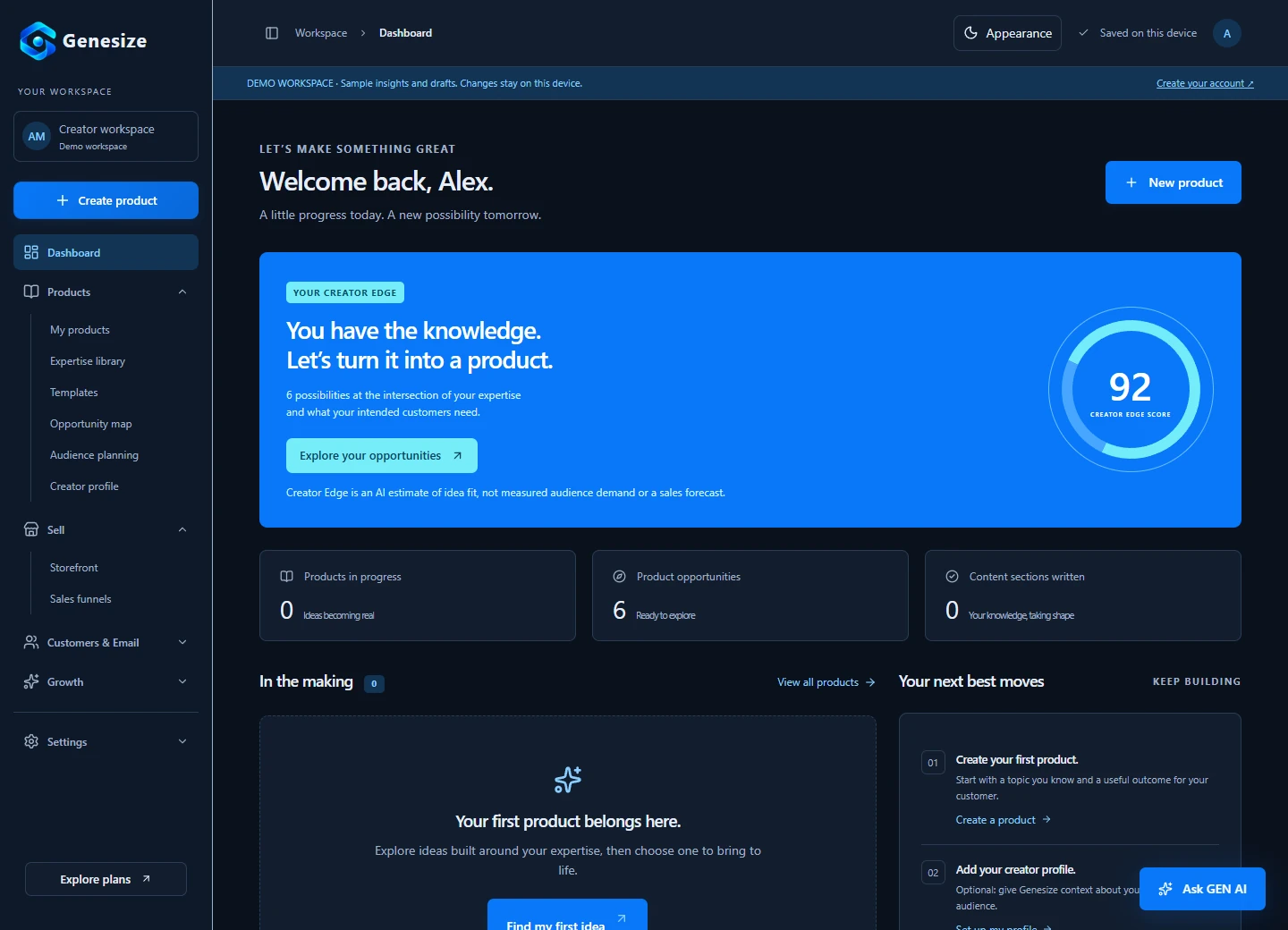
- Open Sell → Sales funnels → Create funnel. Choose a saved product. Pick “Sell product,” “Generate leads” or “Sell + build a list” according to the route you need.
- Choose the starting mode and page style. “Start from template · no credits” uses existing Store copy for manual editing. “Generate with AI” provides a product-based credit quote to review before generation. Manual edits and publication use no AI credits.
- Customize and preview. Check headline, contents, price, links and any lead resource. Review both Desktop and Mobile views. A draft preview does not run live forms or take payment.
- Complete Store settings and payment setup. Set creator information, support details, currency and the actual offer. The owner connects Stripe and resolves any onboarding requirements.
- Use Review & publish. Read the draft-versus-published comparison, resolve blockers and preview buyer delivery. Publish only after the product, price and page agree.
- Prepare email separately when needed. Open Customers & Email → Email campaigns. Review sender setup, audience consent, sequence triggers, waits and buyer exclusions. Email marketing availability and allowances depend on your plan; creating a funnel does not automatically publish or send an email sequence.
- Check Growth → Analytics. Separate Storefront and Funnels, choose the relevant period and mode, and review where tracked visits become checkouts and purchases.
Keep expectations practical. Genesize can connect the product, offer and marketing tools, but it does not supply an audience or verify every statement AI drafts. Review your output, bring relevant traffic and use actual buyer feedback to improve the materials.
Step 6: measure the buying journey and fix one problem at a time
Choose a review window and record the source of your traffic. Compare similar visits rather than mixing a warm email audience, general social views and a new ad campaign. A view, a session, a lead, a checkout and a paid order describe different actions; they are not interchangeable.
Google’s event guidance distinguishes interactions such as page loads, link clicks and purchases. The same principle applies to your funnel: define what each count means before calculating a rate. An analytics tool cannot report actions that were never tracked, and privacy choices can leave attribution incomplete.
| Observation | Example calculation | What to investigate |
|---|---|---|
| 40 sessions begin checkout | 40 ÷ 200 = 20% | Whether the page explains the offer and reaches suitable visitors. |
| 10 of those checkouts complete | 10 ÷ 40 = 25% | Price consistency, payment problems, confusing terms and mobile friction. |
| 10 sessions lead to a paid order | 10 ÷ 200 = 5% | The whole page-to-purchase path, using the same tracked cohort. |
| 10 orders, one full refund | $190 gross sales − $19 refund = $171 before fees and other costs | Whether buyers understood and could use the materials. This is not profit. |
These numbers illustrate arithmetic, not expected results or industry benchmarks. The example assumes one completed checkout and order per converted session. Real reports may show returning visits, untracked orders, payments still in progress and conversions outside the selected window. Give recent checkouts time to complete and use the report’s eligible denominator. In Genesize, conversion comparison groups use sessions and checkouts that are at least 24 hours old, with completion measured within their first 24 hours. Those groups are separate from total paid orders.
Few relevant visits
Review the traffic route and the message linking to the page. A funnel cannot persuade people who never reach it. Share useful content where the intended audience can find it; use our guide to selling without an audience for practical starting routes.
Visits without purchase interest
Ask whether the visitor matches the intended buyer and can identify the outcome, contents and price. Show a useful sample, improve unclear wording and check that the traffic promise matches the page.
Checkouts without completed payment
Check mobile usability, payment readiness and differences between the page and checkout. Do not immediately assume the price is wrong. A broken link or failed payment can produce the same apparent drop-off.
Purchases followed by confusion or refunds
Inspect delivery, content quality and expectations. Improve unclear teaching, missing files or inconsistent examples. Another discount will not fix a product that does not match its description.
Make one material change, record the date and compare an equivalent period with similar traffic. Keep notes on buyer questions alongside the counts. A handful of visits cannot establish a reliable conversion rate, and changing every part of the funnel at once makes it difficult to learn which improvement helped.
Download the digital product funnel launch checklist
Use this free two-page PDF to record your offer, route and review window, then check the page, buyer delivery and optional email sequence. You can fill it digitally or print it. No email signup is required.
Download the funnel checklist- The offer names one buyer, a useful outcome and the exact included materials.
- The price, currency, payment frequency and support details agree across the page and checkout.
- The product is complete, reviewed and available in the format promised.
- The page, buttons, forms and buyer preview work on a narrow mobile screen.
- The resource and marketing signup explain what the person will receive.
- The email audience excludes unsubscribed contacts and people who already bought this offer.
- Payment setup is ready; buyer access and the actual download have been checked.
- The published page contains the edition you reviewed, and the source link is recorded.
- You have a defined review window and know which counts can be compared.
Launch a small, complete journey you can support. Keep the product useful, the offer accurate and the next action clear. Then use the evidence from real visits and buyer feedback to decide what to improve.
Frequently asked questions
What is a sales funnel for digital products?
A sales funnel for digital products is the connected path from discovering an offer to understanding it, paying and receiving the promised product. It can be as simple as a sales page, checkout and delivery page. Lead magnets and email follow-up are optional steps.
Do I need a lead magnet to sell an ebook or course?
No. A clear offer can send ready buyers directly to checkout. A lead magnet is useful when people need to understand the problem or try your approach first. Choose a small resource related to the paid product and explain any follow-up messages before collecting email addresses.
What is the difference between a storefront and a sales funnel?
A storefront helps visitors browse several products. A sales funnel focuses on one offer or one next step. A creator can use both: keep a storefront for the catalog and send a specific campaign to a focused product page or funnel.
Can I build a digital product funnel without an audience?
Yes, but you still need a realistic route to suitable people. Helpful search content, an appropriate professional network, permitted community participation or an agreed creator partnership can supply initial visits. Building a funnel does not automatically create traffic or guarantee sales.
How many emails should a digital product funnel have?
There is no required number. Start with delivery of the requested resource, a useful lesson and a clear invitation to view the relevant product. Send promotional follow-up only to people who chose it, respect unsubscribes and stop repeated promotion of an offer after purchase.
Can AI build the entire sales funnel for me?
AI can draft a page or email sequence from product context. You still need to check claims, contents, links, prices, sender settings, audience rules and delivery. AI-generated copy is a starting point, not verified customer evidence or a guarantee of sales.
Does creating a funnel in Genesize use AI credits?
Genesize offers a template starting mode that uses no AI credits. AI generation shows a credit quote before you begin. Manual funnel edits and publication use no AI credits. Check the current plan and quote for your product; email allowances and payment-processing costs are separate.
What is a good digital product funnel conversion rate?
There is no universal rate that fits every product, price and traffic source. Use a clearly defined denominator, consistent time window and enough observations. Compare similar traffic and separate free claims, paid orders and refunds. A few visits or purchases are too little evidence to judge a funnel reliably.
Can I preview the buyer experience without making a purchase?
In Genesize, save the product and use the buyer preview available during publication review to inspect the online reader and actual download without placing an order. Draft preview disables live forms and checkout. Where a separate sandbox payment mode is available, keep test purchases separate from real orders.
Build a clear route from your knowledge to a buyer
Create and review your product, connect a focused offer and preview delivery. Add email follow-up when it helps your audience, then use analytics to decide what needs attention.
Start your 14-day trialEligible new subscribers receive 400 total AI credits and up to 3 saved projects during the 14-day trial. Payment method required. Your selected paid subscription starts after the trial and automatically renews unless canceled. Check current plans and allowances before choosing a plan.