
Start with the reader’s next useful step
Email gives you a way to continue a conversation after someone leaves your sales page. Its value comes from relevance: a practical lesson, an answer to a buying question or help using a purchase. A larger list and more frequent sends do not fix an unclear product.
Write a one-sentence brief before drafting: “I help [specific reader] do [specific task], and this email helps them take [next action].” For an ebook, the next action might be trying one exercise. For a course, it might be completing the introductory lesson. For a template, it might be filling in one real example.
Website Content Handoff Kit
A copywriter offers a free Website Content Brief, followed by a $24 USD, one-time toolkit containing that brief, a missing-information email and a copy-approval checklist. The hypothetical paid kit includes editable DOCX files and PDF copies. Its purpose is to organize client work, not generate an entire website or replace a contract.
This continues the example in our digital templates guide. The price and offer are illustrative; they are not sales results or a market benchmark.
The useful connection is specific: someone who needs a clearer client brief may also need a better way to request missing facts and collect approval. A generic “buy my bundle” email would lose that connection.
Choose the message before choosing the automation
A campaign sends a particular message to a selected audience. A sequence sends a series after an entry event, with waits and conditions you configure. Neither should treat every contact as the same person at the same stage.
| Message | Who needs it | Purpose | Planning choice |
|---|---|---|---|
| Requested resource or purchase access | Someone requests a specific file or completes a purchase | Provide the promised access and help; keep unrelated promotions separate | Check that the right person can open the right resource |
| Welcome and education | Someone agrees to the relevant marketing emails | Help them complete one useful task and explain what comes next | Use a short sequence with a clear entry condition |
| Launch or product announcement | Relevant subscribers who have not already bought the offer | Explain the problem, contents, fit, price and next action | Use a campaign or a deliberately configured automation |
| Buyer follow-up | Eligible buyers who need the next step | Help them use the product and resolve questions | Separate required access support from optional marketing |
| Ongoing newsletter | People subscribed to your ongoing updates | Share a useful example, improvement or lesson | Choose a sustainable frequency and honor unsubscribes |
Keep receipts, access instructions and necessary service updates focused on the transaction. Do not hide a promotion inside a message labeled as a receipt. The FTC’s CAN-SPAM guidance explains that a message’s primary purpose matters; having a customer relationship does not make every email transactional.
A purchaser who declines marketing should still receive the access they paid for. Conversely, a purchase is not a reason to keep pitching the same product. Plan the buyer journey separately from the non-buyer sales sequence.
Build a list around a relevant, clearly explained offer
Use a focused signup page that says what the free resource does and what follow-up people can expect. A consent choice might explain that you will send website-copy tips and occasional product offers. Use wording that reflects your actual frequency and content, and record where and when permission was obtained.
Requesting a download and agreeing to ongoing marketing are different decisions. Deliver the promised resource without requiring an optional marketing subscription. Our free website content brief requires no email at all.
- Choose a lead magnet that solves one small part of the paid product’s problem.
- Keep a record of the signup source and the permission the person gave.
- Use relevant tags or source filters; do not mix unrelated client and newsletter lists.
- Exclude unsubscribed and suppressed contacts. Do not reimport them to override their choice.
- Do not use purchased, scraped or borrowed lists as marketing permission.
Google’s sender guidance recommends sending to people who signed up, avoiding purchased addresses and making it easy to unsubscribe. Applicable consent rules also depend on where you and your recipients are located; use the requirements for your actual audience.
If you need to build the free resource first, follow our lead magnet guide. If you have no list yet, start with relevant discovery and useful content rather than importing a large list you cannot justify.
Five email templates for selling and supporting a digital product
These examples are short enough to adapt without rebuilding your entire business. The first four form an optional lead-to-product journey; the fifth belongs in a separate buyer follow-up. The waits are starting hypotheses, not a proven optimal schedule.
Replace every square-bracketed instruction with a real value or verified link. These brackets are editorial placeholders, not guaranteed merge fields. Use your email editor’s supported personalization and preview how a missing first name appears. Add your accurate sender details, mailing address and required unsubscribe controls through the platform.
1. Welcome: help the subscriber use their free resource
Recipients: New subscribers who explicitly opted into the related marketing sequence. Deliver the requested download separately if marketing permission was not given.
Timing: At sequence entry, after the promised resource is available.
Subject: One useful place to start with your website brief
Preview text: Choose the visitor’s next action before drafting a page.
The next message must match what the signup form and this welcome promised. If the contact only requested the file, do not automatically add them to this marketing sequence.
2. Education: demonstrate one part of your method
Recipients: Subscribed leads in the relevant welcome sequence. For this sales sequence, exclude people who already bought the kit.
Timing: An illustrative two-day wait after the welcome, not a universal best time.
Subject: A better question than “send me your website content”
Preview text: Turn one missing detail into a question a client can answer.
Teach something complete in the email. A reader should get value even if they do not buy or click.
3. Product introduction: make the offer concrete
Recipients: Marketing subscribers interested in client website projects, excluding existing buyers of this product.
Timing: After the useful lesson, or as a separately reviewed announcement campaign. Avoid sending both to the same people on the same day.
Subject: A three-part kit for clearer website-copy handoffs
Preview text: A brief, a missing-information email and an approval checklist.
This is a fictional offer, not a product sold by Genesize. Replace the price, files, scope and license with your verified offer before using the copy. Never claim editable files that you do not actually deliver.
4. Clarification: answer a real buying question
Recipients: Relevant subscribed non-buyers. Stop the sales sequence when someone buys the featured product.
Timing: An illustrative three-day wait after the introduction. Send only if the answer adds useful information.
Subject: Does the handoff kit replace your client agreement?
Preview text: What it organizes, and what you still need to agree separately.
Present the question directly. Do not invent “everyone is asking” claims, customer quotes, sales results or a deadline to make the message sound more persuasive.
5. Buyer follow-up: help them take the first step
Recipients: Eligible purchasers, with the permission required for your follow-up. In Genesize, marketing automation emails still require subscribed status.
Timing: A separate purchase-triggered sequence, for example three days after purchase. The receipt and purchase access should already have been delivered.
Subject: Start with one page of your next client brief
Preview text: Use the kit on a small piece of real work first.
Use your platform’s verified access-recovery route. Do not paste one buyer’s private access link into a reusable campaign. This optional follow-up is not a substitute for receipts or access support.
Before adding another message, ask what it contributes. If it repeats the same sales claim, shorten the sequence. If several readers ask the same compatibility question, improve both the product page and the relevant email. Do not imply scarcity for an unlimited download or a deadline you will keep extending.
How to prepare the workflow in Genesize
Genesize connects product information, customers, campaigns and automations in the same workspace. The following steps reflect the current email tools. They do not imply that creating a product or funnel automatically activates email marketing.
1. Complete Email Settings
Open Customers & Email → Email campaigns → Settings. Complete the sender name, reply-to address, business information, mailing address and timezone. If you want a custom From address, verify a domain you control and select an address on that domain. Adding a reply-to address alone does not authorize that address as the sender.
2. Prepare a campaign with a deliberate audience
Choose Create campaign. In Content, write the subject, preview text and message, and select an associated product when relevant. In Audience, narrow the recipients using the available source, tag, product and customer filters. Exclude people who already bought the product you are pitching.
Use Send test for a preview to your own email, then check the links, mobile reading experience, missing-name behavior and footer. Return to Review & send to inspect the current audience and scheduling details. If you change the draft or send time, review it again. A saved draft is not permission to send.
3. Configure and review a sequence
Under Automations, choose a relevant starting recipe and edit it. Set Start when to the intended event, such as “A funnel captures a lead,” “Someone subscribes to my list” or “Someone purchases a product.” Choose the particular funnel or product rather than leaving a broad entry rule unintentionally.
Set Stop when they buy for a sales sequence, select appropriate entry filters and check each email and wait. Marketing eligibility still applies: a purchase trigger does not override an unsubscribe. Review the sequence before activation. Publishing does not automatically enroll your existing contact list.
4. Understand saved editions
You can edit a draft without silently replacing the published sequence. Publishing changes applies a new edition to future subscribers; existing subscribers keep the edition they entered. A paused automation remains paused after publishing. Check both the published edition and the draft when investigating which message someone was eligible to receive.
Check plan access before planning a launch
Customer campaigns and automation sending require an active paid Creator or Business plan. During a trial, prepare drafts and send previews to your own email; customer sending unlocks after the first payment on an eligible plan. See current plans and Email Settings for allowances and availability.
5. Use AI for a draft you can verify
Supply the real audience, product contents, approved price, supported formats, exclusions and one next action. Ask for useful examples and clear language. Review the quoted credit cost before generating or rewriting. Manual editing and reviewing your own copy are separate from paid AI generation; generating a draft does not send it.
Plan for delivery, not just a send button
A scheduled start is not a promise that every recipient receives the message at that moment. Audience size, daily capacity, other queued work, account health and provider responses affect delivery. Review the delivery estimate before committing to a time-sensitive announcement.
Monthly marketing allowances and daily sending capacity are different limits. A plan may allow a certain number of attempts over a month without allowing them all in one day. Look at your current capacity and queue in Email Settings and the campaign review, especially before announcing a short promotion.
- Use a recognizable sender and accurate subject line, not a fake reply or receipt.
- Complete the domain-verification records shown in your setup and check their verified status.
- Preview readable text, descriptive links, useful image descriptions and one clear action on a phone.
- Keep marketing unsubscribe controls visible and leave suppressed recipients excluded.
- Investigate bounces, complaints and a marketing hold before attempting more sends.
- Check that sales and access links work before scheduling; do not use a private buyer token as a shared link.
Google’s guidance also distinguishes authentication requirements for all senders from additional requirements for bulk senders. Use its current sender requirements for your sending pattern. Authentication helps establish identity; it does not guarantee inbox placement or permission to contact someone.
If the queue is not moving, first check its status, your allowances and any hold or provider error. Duplicating a campaign or repeatedly pressing send can create overlapping messages when capacity returns. Fix the cause before retrying.
Measure the action the email was meant to help
For a welcome email, look for successful resource access and useful replies. For an offer, inspect product interest, attributed paid orders and the questions people ask before buying. For buyer onboarding, examine access problems and whether the instructions help people use what they purchased.
Keep the definitions separate: queued is waiting, sent is not the same as delivered, and delivered does not prove a person read the message. Clicks can include automated link checks. An attributed order reflects the system’s tracking rules, not proof that email alone caused the sale.
Open tracking is particularly limited. Apple explains that Mail Privacy Protection can download remote content in the background when a message arrives rather than when it is viewed. Do not automatically label a person uninterested because an open was not recorded, or engaged because one was.
Write the denominator beside the percentage
If 200 eligible recipients are selected, 190 messages are delivered and three paid orders are attributed during your chosen window, that is 3 ÷ 200 = 1.5% of selected recipients, or 3 ÷ 190 ≈ 1.6% of delivered messages. Those are different denominators, not two different campaign outcomes.
At the fictional $24 USD price, three orders represent $72 in gross product sales before any fees, tax, refunds or other adjustments. This is arithmetic, not a forecast, recommended conversion rate or verified Genesize customer result.
Compare equivalent audiences, offers and time windows. With a small list, review specific replies and support questions before declaring one subject line a winner. Check refunds and disputes separately from a campaign’s attributed revenue, and avoid combining currencies as though they were identical.
Change one meaningful variable at a time: clarify the product contents, simplify the next action or improve a confusing example. If people click but do not buy, inspect the offer and checkout rather than assuming another email is the answer.
A manageable first-week email plan
Day 1: Choose one product and audience. Confirm the files, price, access route and the permission behind your list. If the product is not ready, improve it before writing launch copy.
Day 2: Draft a welcome and one useful lesson. Decide the exact entry rule and which contacts should be excluded. Check whether the free resource already has its own delivery message so you do not send two confusing “welcome” emails.
Day 3: Draft the product introduction and one genuine clarification. Verify every claim against the actual download or course. Preview your own test emails and the linked sales page on mobile.
Day 4: Check plan access, sender setup, queue capacity and waits. Review and activate only the workflow you intend. Existing subscribers need a separate, deliberate audience decision; publishing a sequence does not backfill everyone.
Days 5–7: Watch delivery, replies, buyer questions and tracked orders. Help purchasers access and use the resource. Keep notes on the next improvement instead of adding messages just to fill a calendar.
Use our digital product sales funnel guide to connect this plan to the landing page, offer, checkout and delivery. Email is one part of that journey, not a replacement for a useful product.
Download the free digital product email planner
Use this two-page worksheet to record the offer, permission, entry rule, three planned messages and the checks needed before sending. It has fillable fields and a review checklist. It is a separately prepared editorial resource, not an automatic sending workflow.
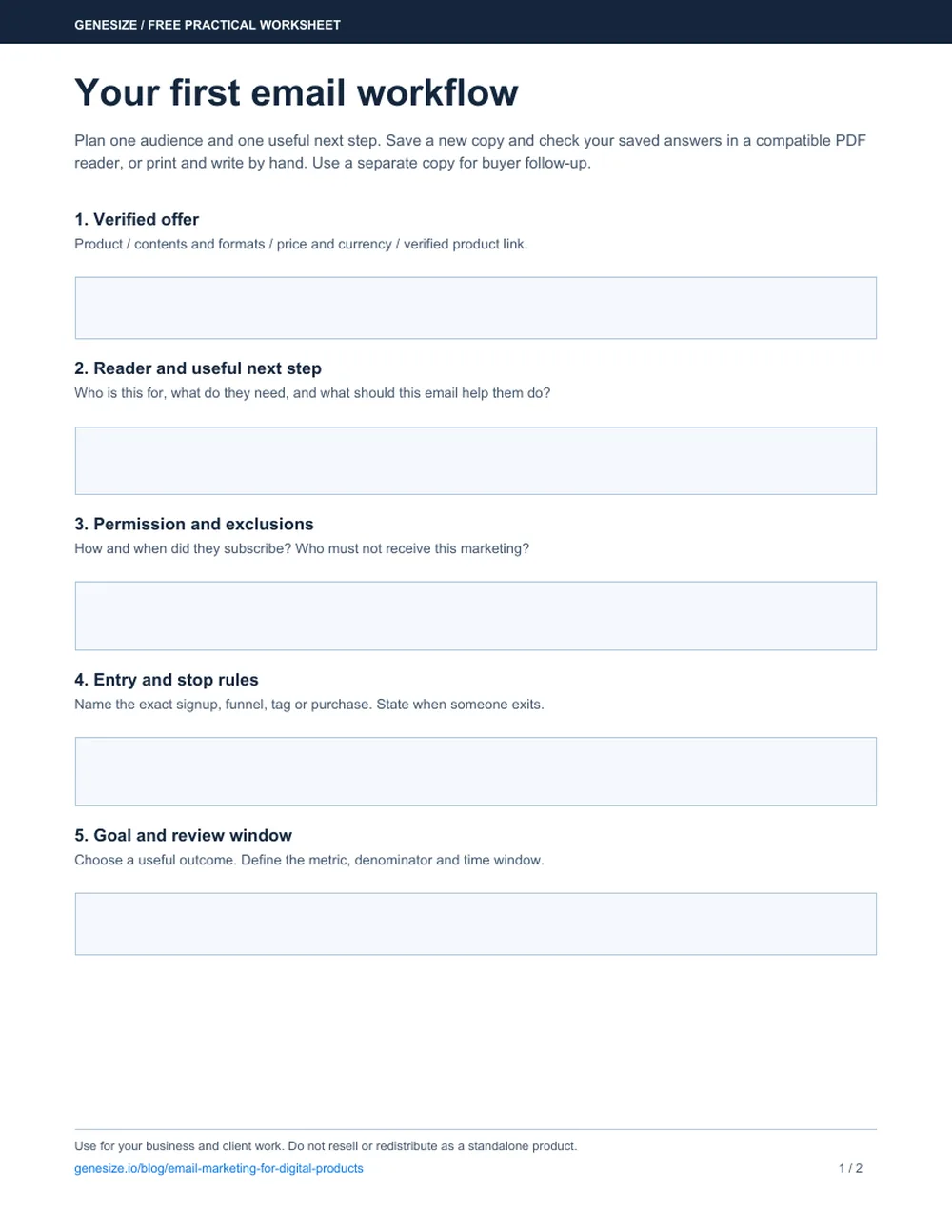
Your first email workflow
Open the download in a compatible PDF reader, fill it in and save a new copy. Reopen it to check your answers, or print it and write by hand. Use another copy for a separate buyer workflow.
Download the free email plannerUse and adapt it for your own business and client work. Do not resell or redistribute the blank or modified worksheet as a standalone product. It does not establish consent or approve a send for you.
Frequently asked questions about digital product emails
What is email marketing for digital products?
It is permission-based email that helps relevant subscribers understand, buy and use an ebook, course, template or other digital resource. It can include welcome messages, useful lessons, product announcements and buyer follow-up. Keep purchase access and necessary service messages separate from optional promotions.
How many emails should a digital product launch include?
There is no required number. Start with the few messages needed to explain the problem, demonstrate a useful idea, present the offer and answer a genuine question. This guide provides five templates for different situations, including a separate buyer follow-up; it does not recommend sending all five to every contact.
Can I sell digital products with a small email list?
A small list can support sales when the subscribers are relevant and the offer is useful, but list size does not establish demand or guarantee revenue. Learn from replies, product-page visits, paid orders, refunds and support questions. Avoid drawing conclusions from a handful of opens or one sale.
Does downloading a lead magnet mean someone consented to marketing?
Do not assume so. Explain what emails the person is agreeing to, record the permission and deliver the requested resource even when optional marketing is declined. The rules depend on the recipient and jurisdiction. Do not use purchased, scraped or unrelated client lists as permission to send promotions.
Can I automate email campaigns in Genesize?
Genesize supports draft campaigns and configurable sequences with entry triggers, waits, email steps and buyer stop conditions. Set up and review the workflow before activating it. A sales funnel does not automatically activate a marketing sequence. Customer campaign and automation sending requires an active paid Creator or Business plan; trial users can prepare drafts and send previews to their own email.
Can I send from my own email address?
For a custom From address in Genesize, verify a domain you control and select an address on that verified domain. A reply-to address is a separate setting and does not make an unverified address an authorized sender. Check domain verification and sending availability in Email Settings.
Will changing an automation update emails for existing subscribers?
In Genesize, published sequences have saved editions. Publishing draft changes applies the new edition to future subscribers; existing subscribers keep the edition they entered. Publishing a paused automation keeps it paused, and publishing does not enroll the existing contact list automatically.
What is a good email conversion rate?
There is no universal rate for every product, audience and campaign. Define the denominator, time window and attribution method, then compare equivalent sends. Distinguish delivered messages, clicks, attributed orders and net business results. Open tracking is imperfect and should not be treated as proof that someone read an email.
Can AI write my product launch emails?
AI can help draft messages from a verified product brief and suggest clearer subjects or shorter copy. Check every claim, price, link, audience and instruction before sending. In Genesize, review the quoted AI credit cost before generation; generating copy does not approve or send a campaign.
Give your product a useful next conversation
Create and review your digital product, connect a clear offer and prepare relevant follow-up. Use Genesize’s email tools when your audience, sender setup and plan are ready.
Start your 14-day trialEligible new subscribers receive 400 total AI credits and up to 3 saved projects during the 14-day trial. Payment method required. Your selected paid subscription starts after the trial and automatically renews unless canceled. Customer email sending requires an eligible paid plan after the first payment. Review current plans and allowances before subscribing.